Burp特征检测对抗
BurpSuite 是一款广泛使用的 web 应用程序安全测试工具。然而,越来越多的站点、应用程序、安全设备开始部署检测机制,以识别和阻止通过Burp的流量,这种情况导致我们在进行测试时无法正常抓包,从而影响整个测试过程,所以本文主要研究burp的常见特征以及绕过检测的隐藏方式。
HTTP特征
当使用BurpSuite时,经常会访问http://burp和http://burpsuite这类页面。这些页面主要用于导出证书,当证书导入到浏览器后就不再有实际作用。然而,这些访问行为也成为了BurpSuite的典型流量特征之一。
- http://burp
- http://burpsuite
- http://burpsuite/cert
- http://burp/favicon.ico
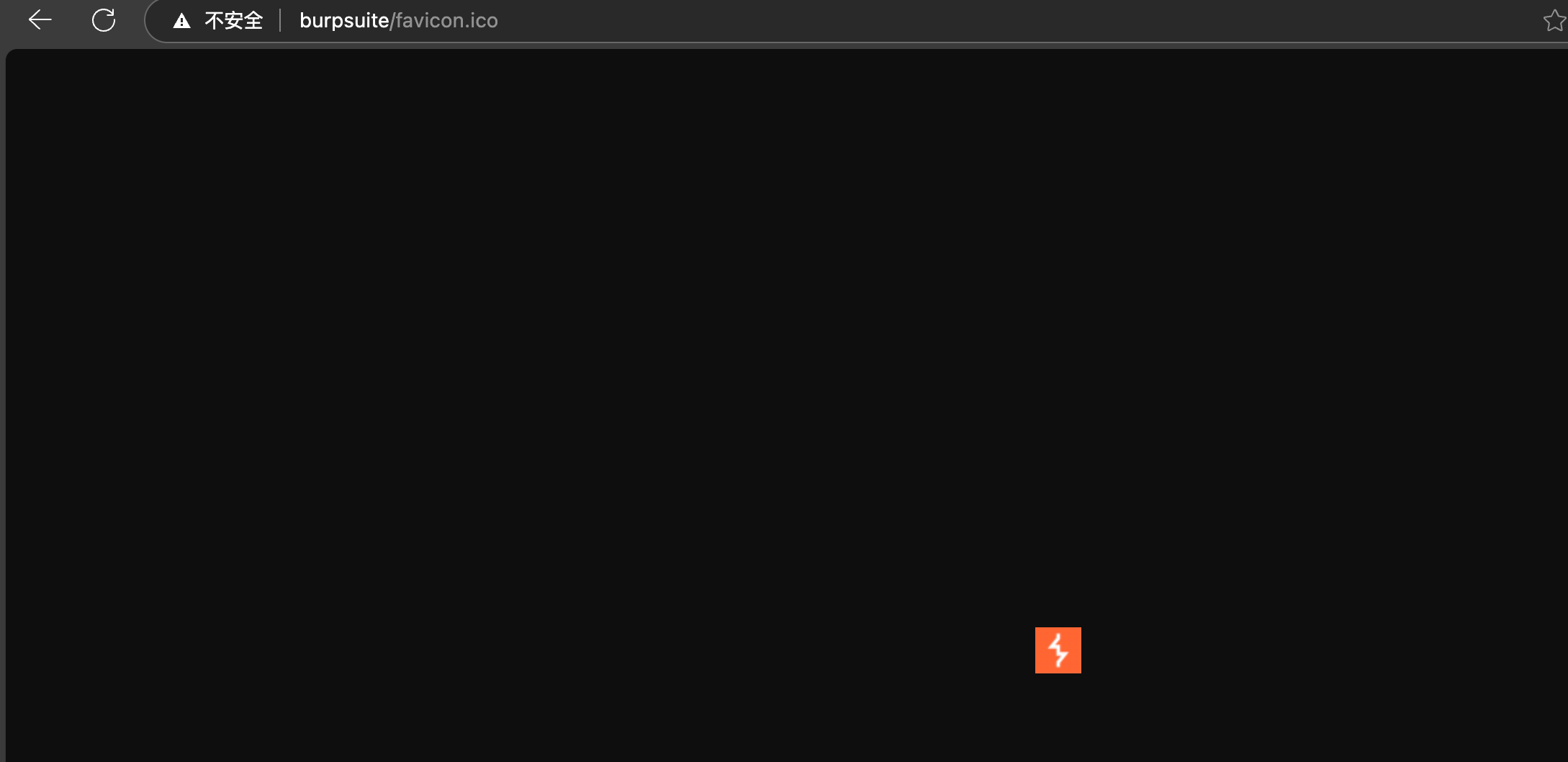
检测方法
服务端可以使用js去检测burp特征,以下为简单的js检测实现
- img
favicon.ico在resources/Media/路径下,删除即可,但请求后仍会返回错误页回显burp特征
<img src="http://burp/favicon.ico" onload="window.location.href='/hack'" onerror="console.log('无法访问目标主机')">
- link
<link rel="stylesheet" href="http://burp/" onload="window.location.href='/hack'" onerror="console.log('无法访问目标主机')">
- script
<script src="http://burp/test.js" onload="window.location.href='/hack'" onerror="console.log('无法访问目标主机')"></script>
绕过方法如下:
配置代理
我们可以代理,让其不对burp特有主机名生效
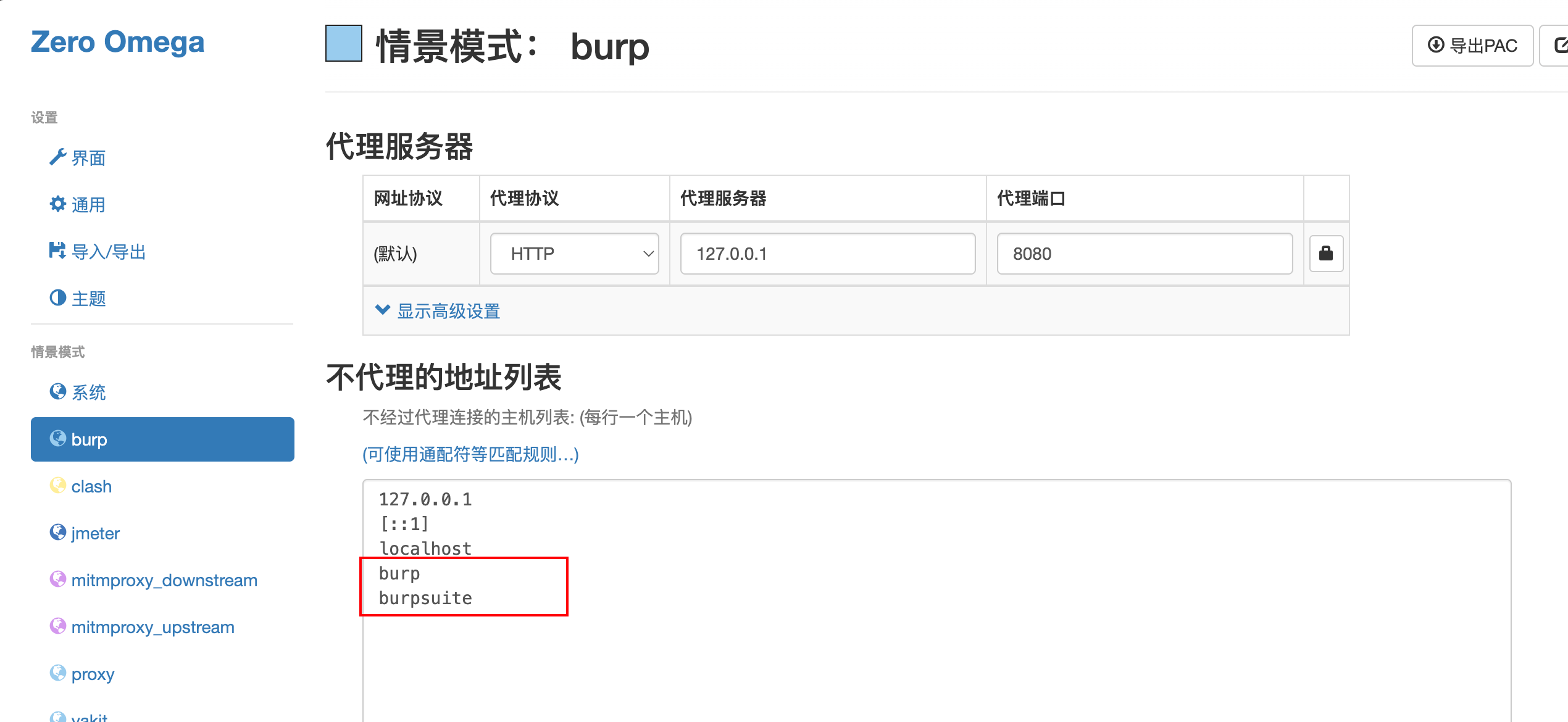
也可以使用通配符匹配(建议)
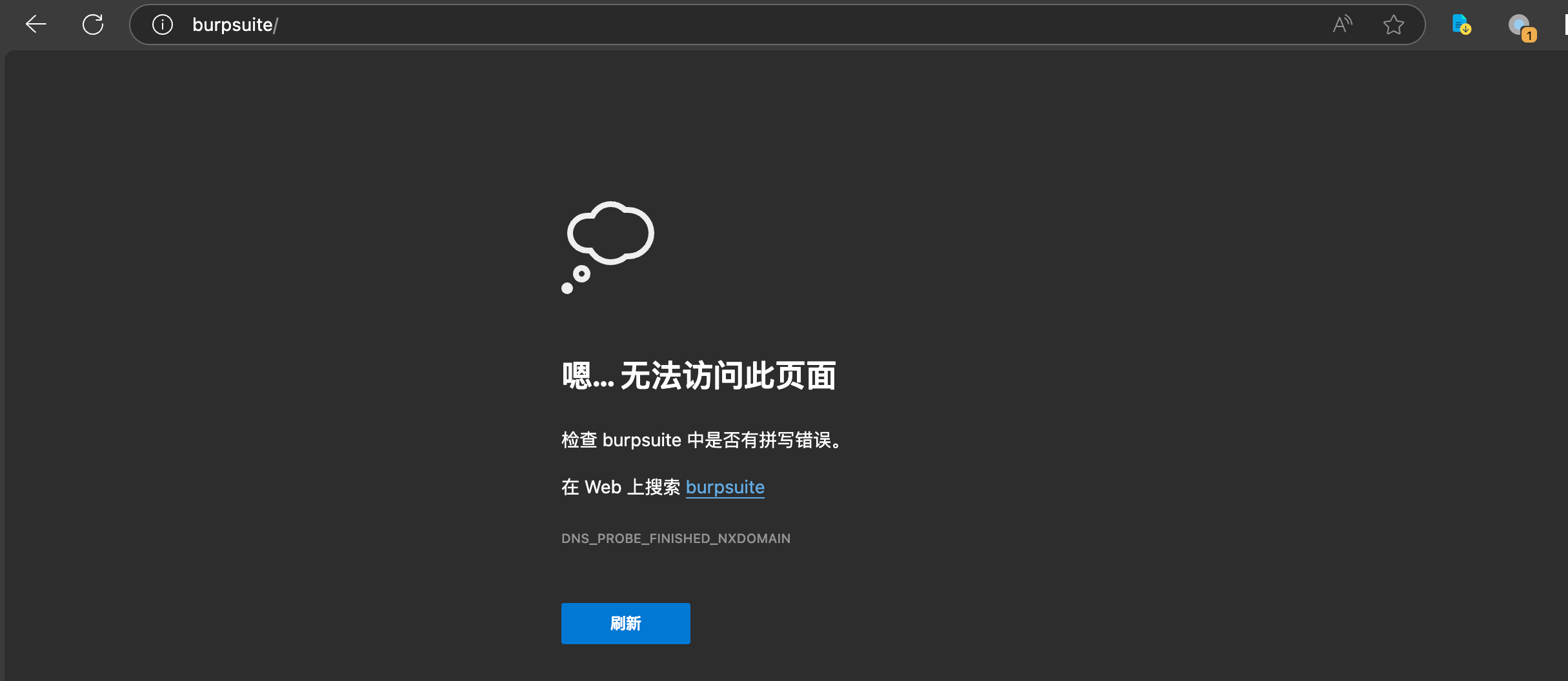
配置后,通过代理无法访问burp页面
配置burp代理options
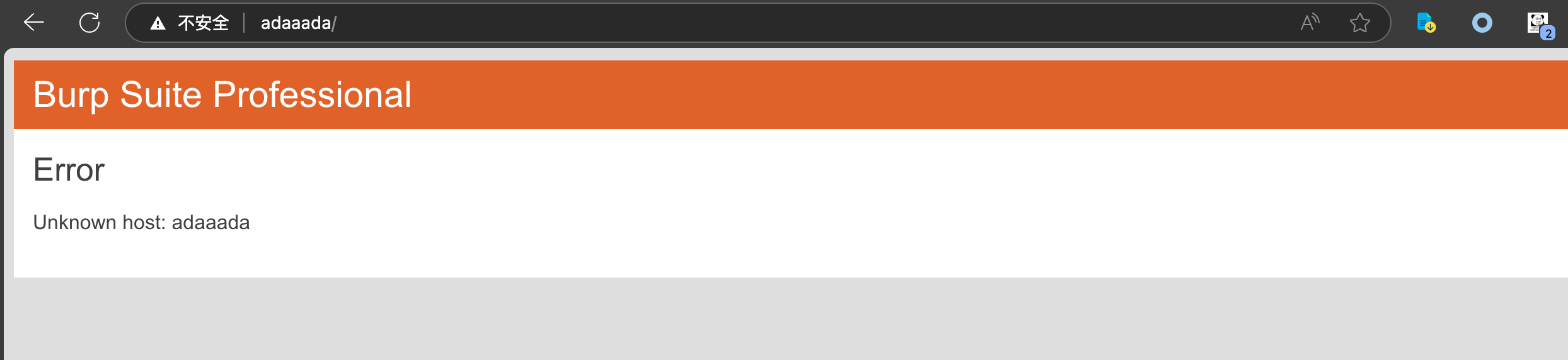
在上述配置了代理之后,我们随便输入错误的地址,发现仍然存在burp的特征-报错页面,此时我们还需要关闭错误页面显示
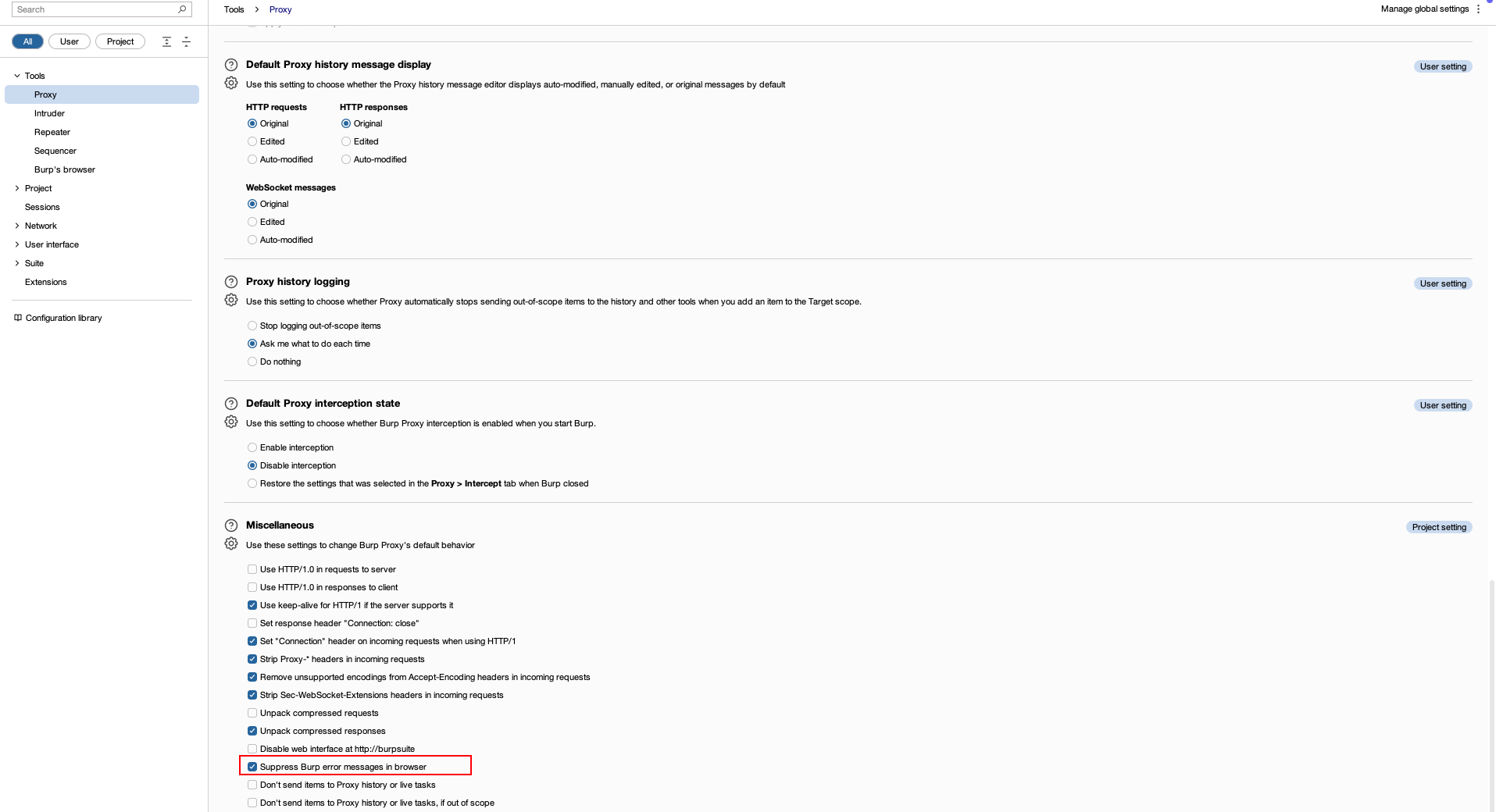
勾选该项
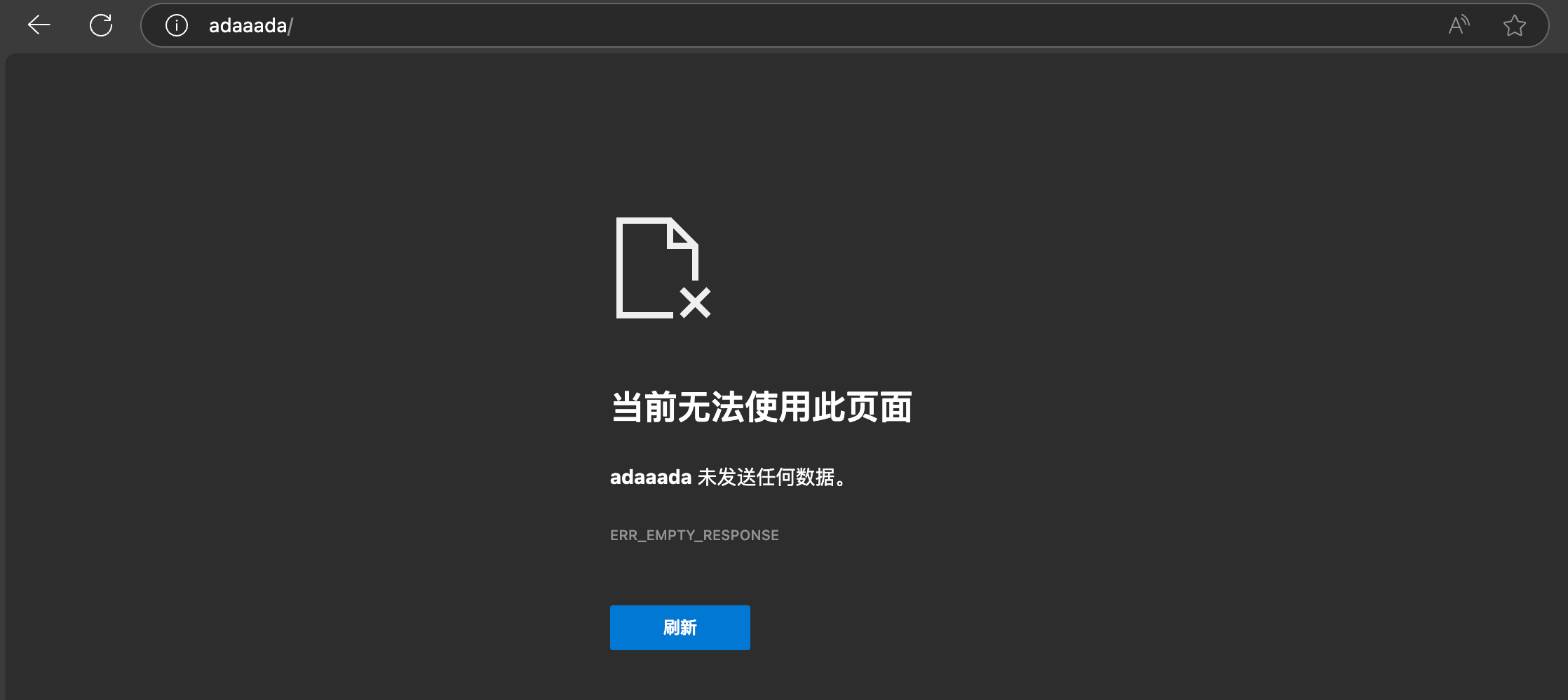
再次访问,不显示burp报错页面
WebSocket请求头检测
环境配置
- server
import asyncio
import websockets

async def echo(websocket, path):
    async for message in websocket:
        print(f"Received message: {message}")
        await websocket.send(f"Server received: {message}")

async def main():
    async with websockets.serve(echo, "localhost", 8765):
        print("Server started on ws://localhost:8765")
        await asyncio.Future()  # 运行直到手动停止

if __name__ == "__main__":
    asyncio.run(main())
- client
import asyncio
import websockets

async def client():
    uri = "ws://localhost:8765"
    async with websockets.connect(uri) as websocket:
        print("Connected to server")
        message = input("Enter a message to send: ")
        await websocket.send(message)
        print(f"Sent message: {message}")
        response = await websocket.recv()
        print(f"Received response: {response}")

if __name__ == "__main__":
    asyncio.run(client())
Sec-WebSocket-Extensions
Sec-WebSocket-Extensions是用于在 WebSocket 连接期间协商和传输 WebSocket 扩展的HTTP标头,当发起websocket连接时,会在 HTTP 请求中添加 Sec-WebSocket-Extensions 请求头,用于声明并协商使用的 WebSocket 扩展。而当websocket连接经过burp代理后会将其删除,因此这也便是明显特征之一。
关闭burp代理时
启动wireshark监听本地网卡(127.0.0.1),筛选服务端监听端口8765
随后找到websocket协议的流量包,右键追踪TCP流
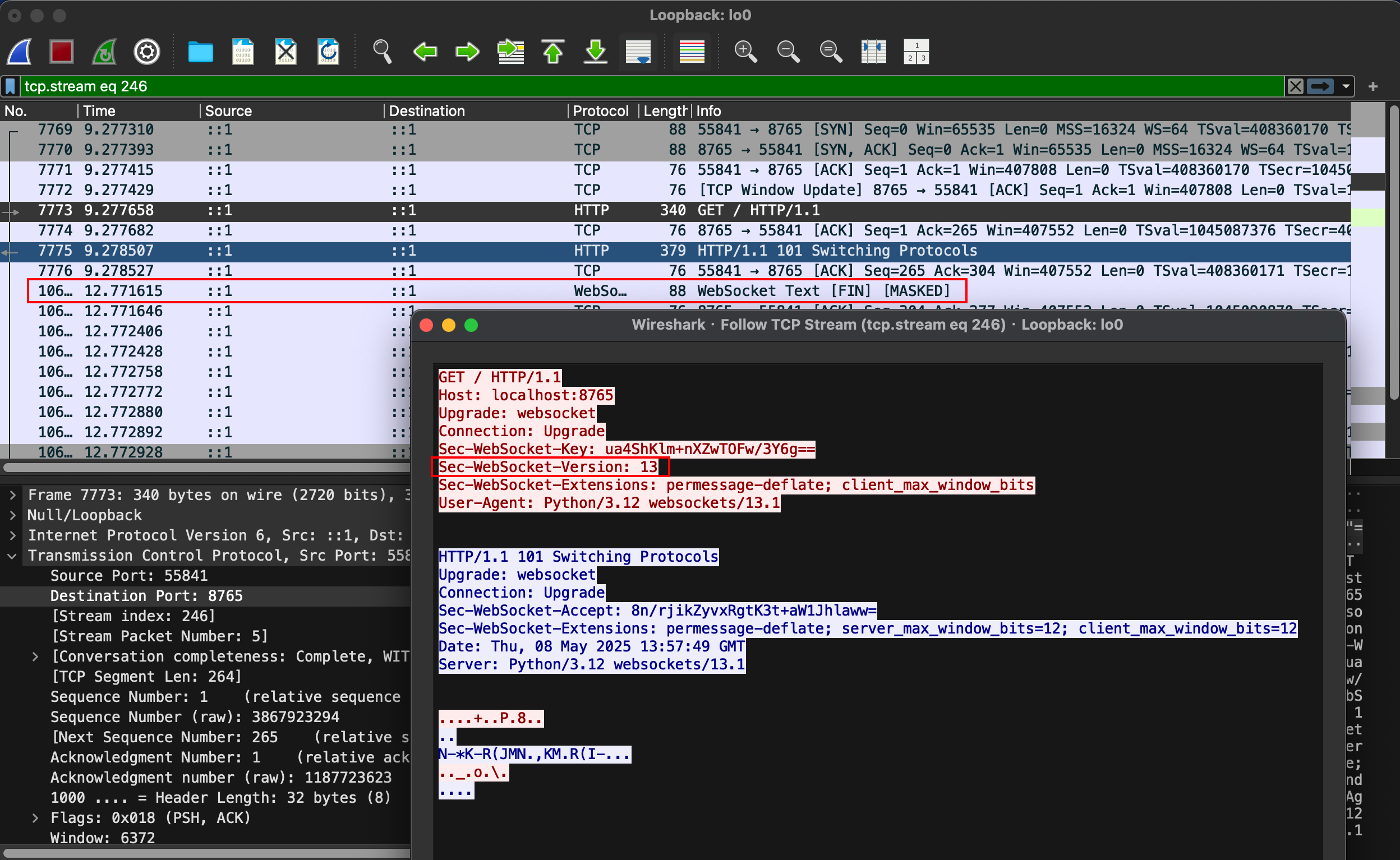
可以看到存在Sec-WebSocket-Extensions请求头
开启burp代理时
我们首先修改下客户端代码,使其流量先经过burp监听端口
import asyncio
from websockets_proxy import Proxy, proxy_connect  # type: ignore


async def client():
    # 设置代理服务器地址和端口
    proxy_url = "http://127.0.0.1:8080"
    ws_url = "ws://localhost:8765"

    # 创建代理对象
    proxy = Proxy.from_url(proxy_url)

    try:
        # 使用代理连接到 WebSocket 服务器
        async with proxy_connect(ws_url, proxy=proxy) as websocket:
            print("Connected to server via proxy")
            message = input("Enter a message to send: ")
            await websocket.send(message)
            print(f"Sent message: {message}")
            response = await websocket.recv()
            print(f"Received response: {response}")
    except Exception as e:
        print(f"Error connecting to server: {e}")

if __name__ == "__main__":
    asyncio.run(client())
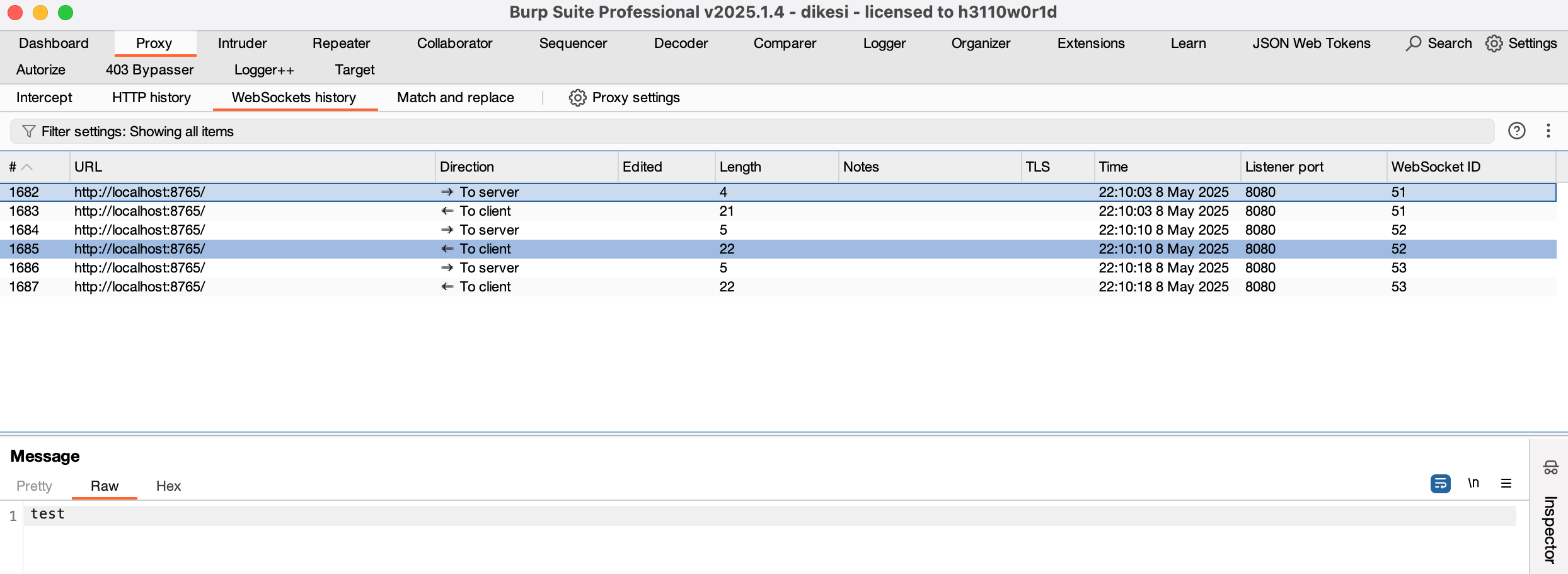
我们看到burp收到了websocket流量
启动wireshark监听本地网卡(127.0.0.1),筛选burp监听端口8080
随后找到websocket协议的流量包,右键追踪TCP流
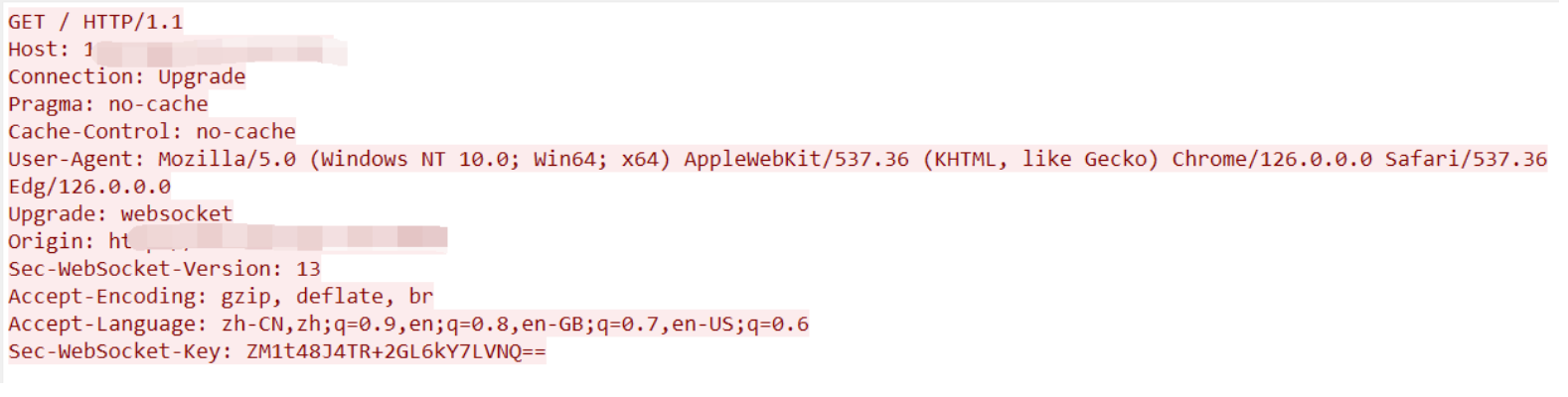
通过建立websocket连接,查看请求包中是否存在Sec-WebSocket-Extensions便可判断是否使用burp代理
绕过方法
是否Sec-WebSocket-Extensions请求头是通过burp的Strip Sec-WebSocket-Extensions headers in incoming requests设置选项决定的。默认情况下,Burp 删除此标头以减少使用扩展名的机会.如果服务器要求特定的扩展名,则可取消选中此选项.
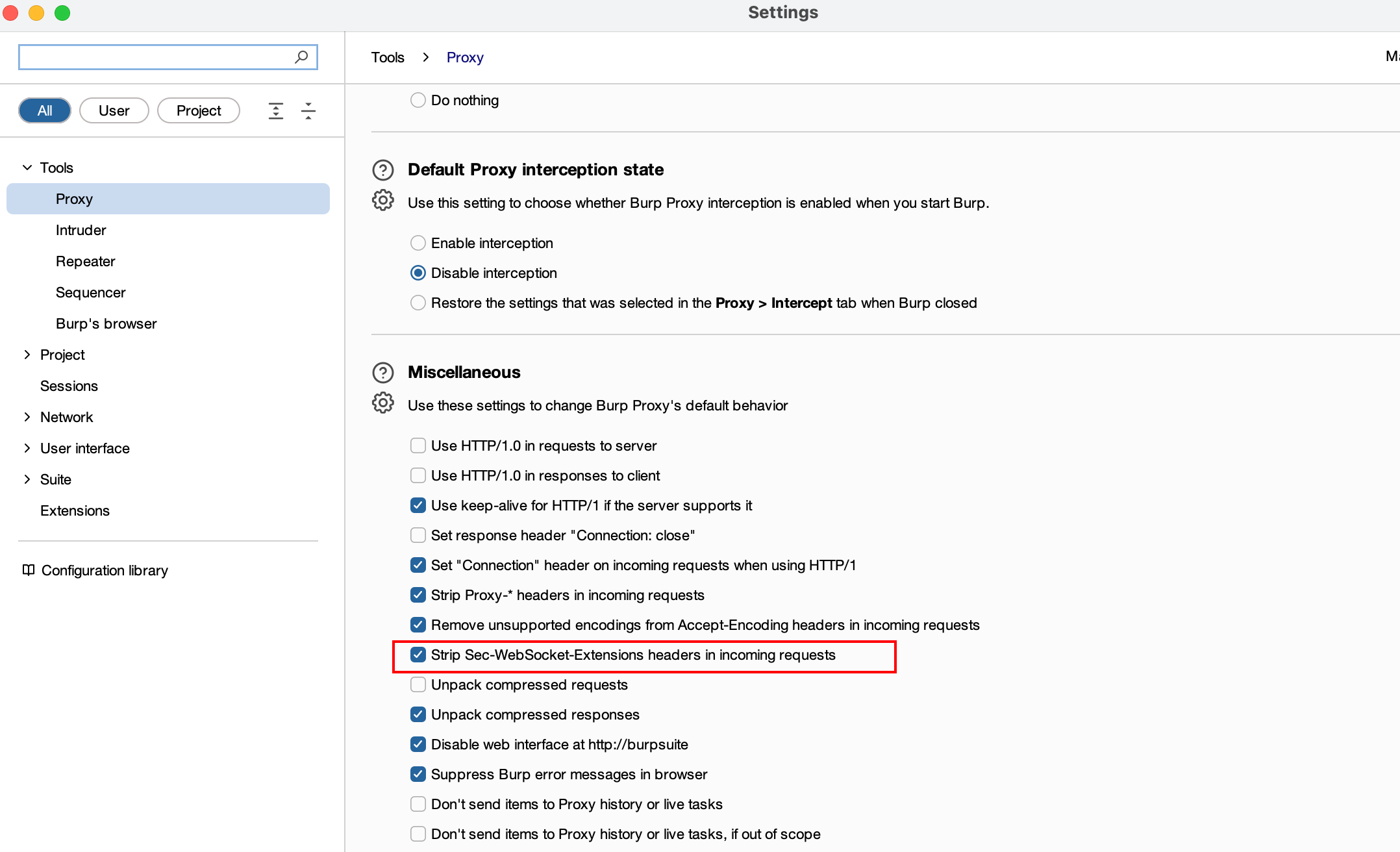
此时开启burp代理,进行抓包,Sec-WebSocket-Extensions请求头仍然存在
TLS指纹检测
许多服务器使用 TLS 指纹技术来识别和检测客户端的特性。TLS 指纹包括客户端发送的 TLS 握手消息中的一系列参数,如:TLS 版本、加密套件、扩展等。通过抓包便可直观的看到这些信息:
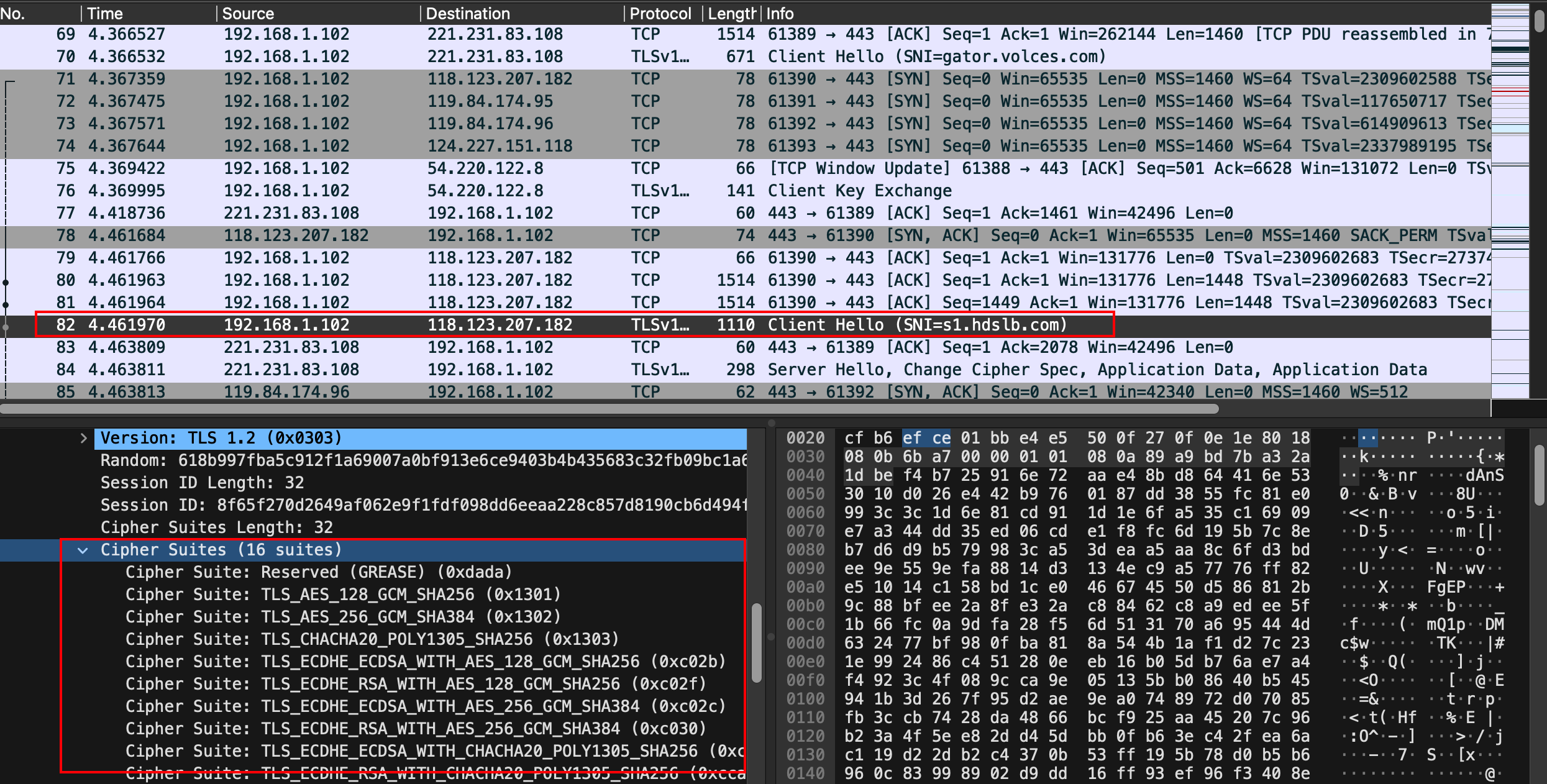
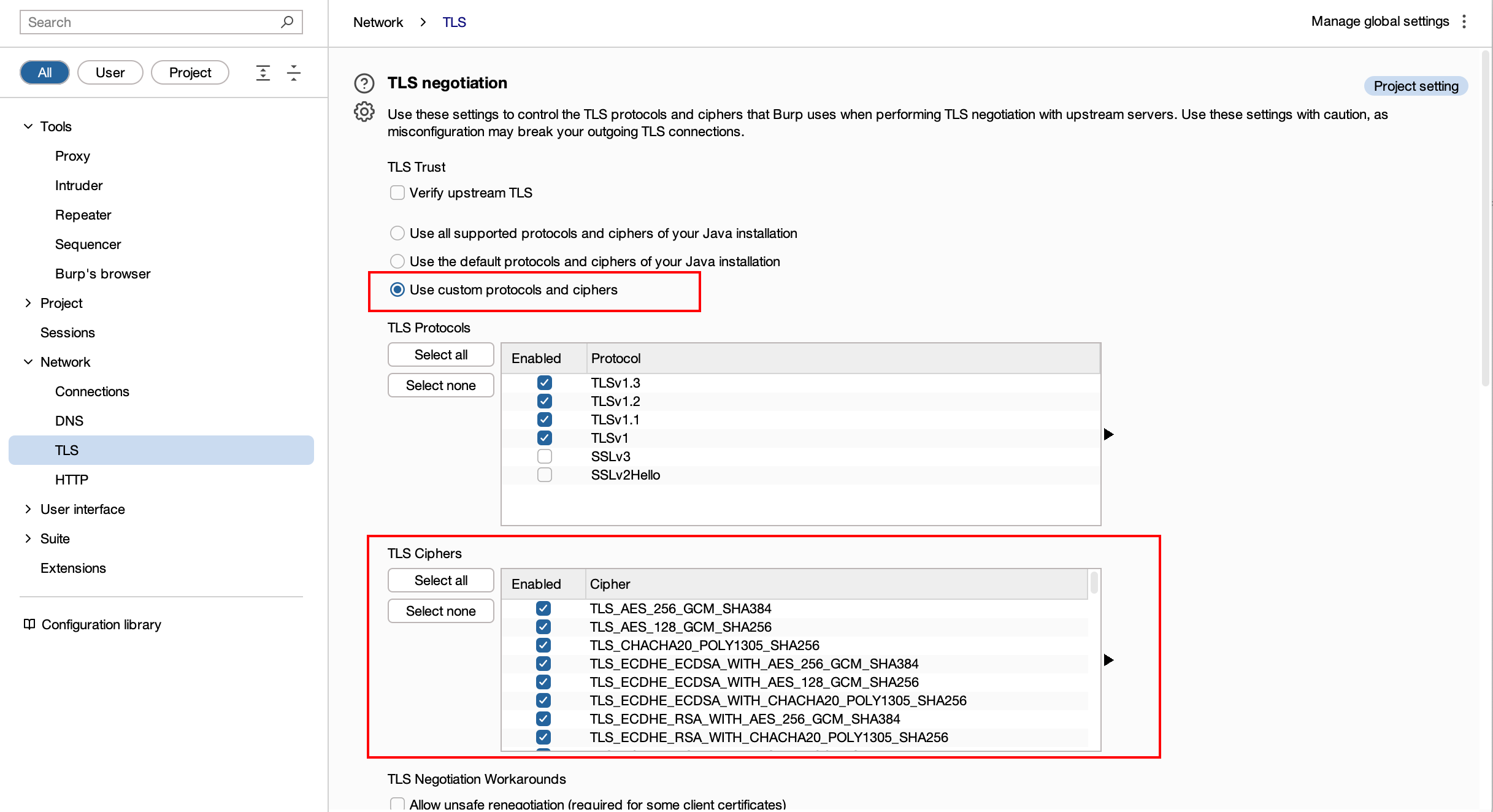
burp默认使用所有Cipher Suites,因此会有比较明显的特征
绕过方法
自定义Cipher Suites
使用burp-awesome-tls插件
该扩展可劫持 Burp 的 HTTP 和 TLS 堆栈,让您可以欺骗任何浏览器的 TLS 指纹 (JA3)。它增强了 Burp Suite 的功能,同时降低了各种 WAF(如 CloudFlare、PerimeterX、Akamai、DataDome 等)识别指纹的可能性。
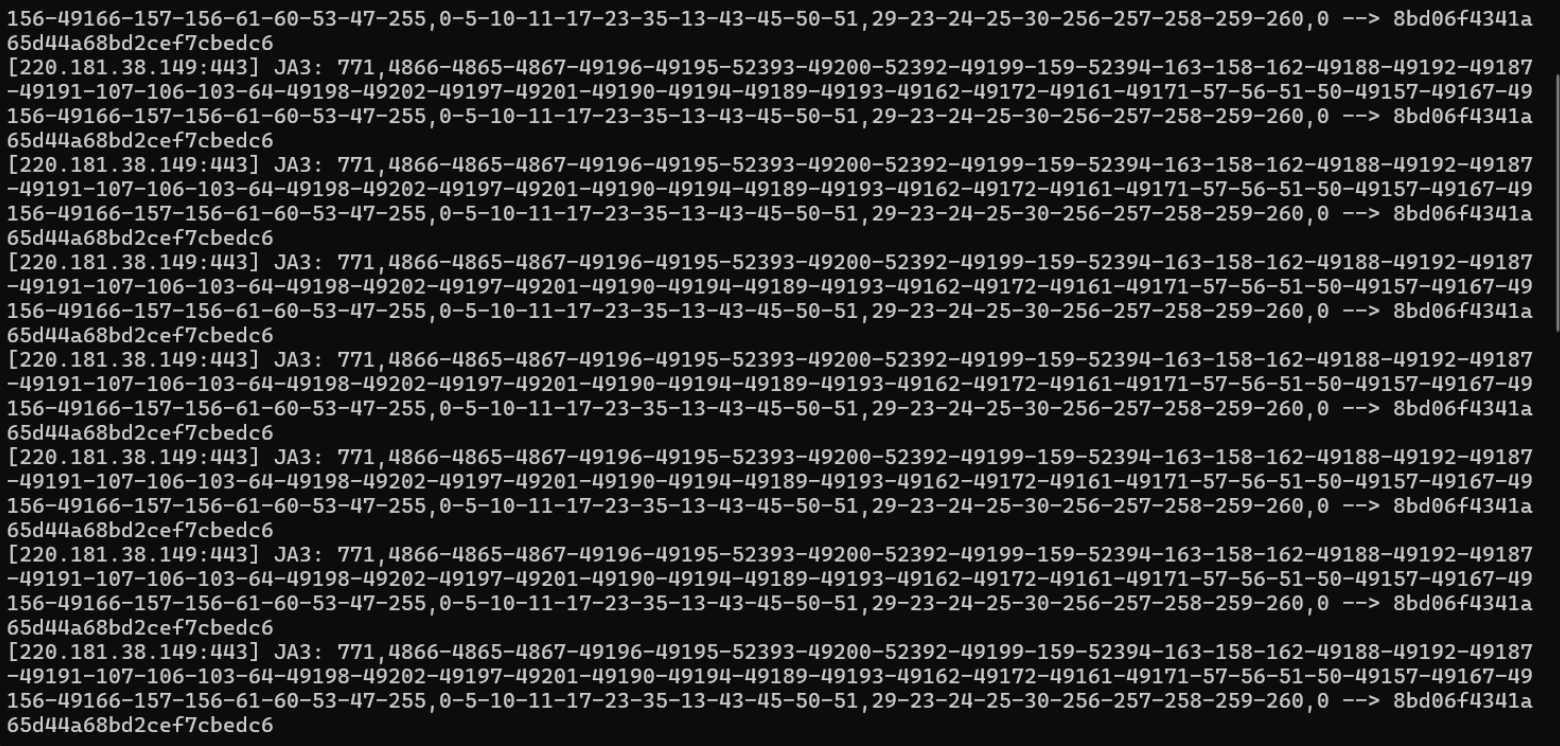
可以通过ja3工具查看下使用前后差异,ja3的主要原理是将TLS 握手时客户端发送的 Client Hello 里面的 Version + Cipher Suites + Extensions 提取出来进行MD5计算
使用前:
使用后:
可以看到大部分ip都变为了ipv6的形式,并且hash从8bd06f4341a65d44a68bd2cef7cbedc6变成cd08e31494f9531f560d64c695473da9