Browser’s Secret Diary: Memory Dumps Unveiled
Introduction: How Browsers handle your Data Insecurely
Sure, keyloggers and remote desktop tools can capture what you type or click in real time. But what if the sensitive data isn’t something you directly input — maybe it’s information sent by the server for you to view only? A keylogger wouldn’t catch that. Now imagine that even after you stop actively browsing & forgot to terminate your browser.exe, your browser’s memory still contains sensitive data from the entire session, including historical information stored since you first opened it, including the ones you had in the Incognito tab. With that much access, a simple keylogger becomes obsolete.
Note
浏览器在未退出时,敏感信息(凭据、历史记录等)都会存储在内存中
The Holy Grave: Clear text Storage in Memory
当您打开浏览器时,Windows操作系统会将browser.exe加载到内存中。这涉及将程序的可执行文件映射到进程的虚拟地址空间。操作系统将资源(内存、CPU 时间等)分配给浏览器进程。
操作系统将内存页(内存块)分配给浏览器进程。Windows 使用虚拟内存,因此这些页面最初对应于虚拟地址,后来映射到物理 RAM。浏览器通过加载其配置设置、资源和来自先前会话的任何缓存数据(如 Cookie)来初始化。这些也会加载到内存中。
当您访问 Google 时,浏览器会加载 Google 搜索页面。这涉及下载页面的 HTML、CSS 和 JavaScript,然后呈现这些内容以在内存中创建文档对象模型 (DOM)。DOM 是网页的结构化表示形式,作为对象树存储在浏览器的内存中。
渲染引擎处理页面在屏幕上的外观,而 JavaScript 负责任何动态功能,例如搜索词的自动建议。此 JavaScript 代码在浏览器的 JavaScript 引擎中执行,相关对象、函数和变量存储在内存中。
当您开始键入时,您输入的每个字母都会临时存储在缓冲区中。操作系统通过低级驱动程序的输入/输出 (I/O)作来管理这一点。然后,浏览器使用此缓冲区在搜索栏中显示文本。
浏览器将您的输入存储在其内存中的某个部分中,该部分分配给处理 DOM 和相关交互。输入数据(如您输入的搜索词)将作为字符串对象存储在内存中。
现在这个输入可以是密码、电子邮件、电话号码或任何的搜索
When you press “Enter” or click the action button or placeholder, the browser prepares an HTTP request to the website’s servers, containing your valuable information. The request includes headers and your string, which are stored temporarily in the memory buffer while the request is sent.
The response comes back from the server and vola you see you wanted to with the string you entered. When you close the browser, Windows receives a termination signal from browser.exe. This signals the OS to begin releasing resources tied to the browser process. Deallocating Virtual Memory: Windows clears the virtual memory allocated to the browser, deallocating any memory pages and marking them as free.
Note
而像服务器发送的请求同样会储存在内存缓冲区中,直到退出浏览器时,系统会释放该进程的内存
So you don’t see a problem ?
Well the issue starts with 2 conditions which is generally true for most of the browsers :
- You run with browser.exe with low privileges
- Hence you are able to dump the memory for processes related to browser.exe
输入中的敏感信息
为了说明这个问题,我们打开浏览器的隐身模式,并进行一些敏感操作(输入密码、手机号等),并在完成操作后关闭标签页(不关闭浏览器)
之后我们使用进程分析工具(process hacker)对浏览器进程内存(Properties > Memory > Strings > Filter > Contains)进行搜索,搜索密码、邮箱等敏感信息
网络传输中的敏感信息
现在让我们看看我们从服务器端获得的数据,我们将打开一个可能包含一些敏感数据的页面,例如,在这里我将打开一个带有示例 firebase api 密钥的文档页面。
Securely Sandboxed ? but from Whom ?
我们以firefox浏览器为例来说明
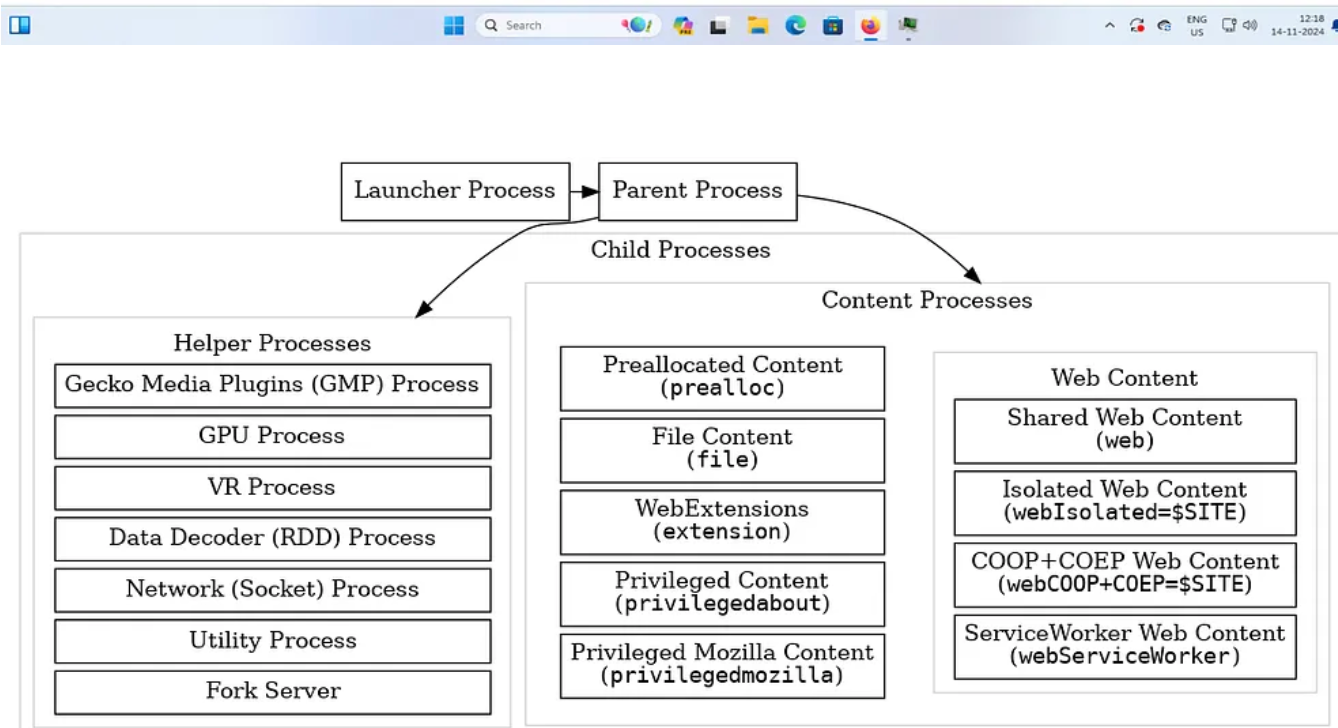
Diagram of processes used by Firefox. All child processes are spawned and managed by the Parent process. ( Source : Process Model, Firefox Source Docs )
https://firefox-source-docs.mozilla.org/dom/ipc/process_model.html
Here is a brief overview of what these processes do :
- Parent Process: Manages UI, handles privileged operations, and coordinates resource allocation and IPC (Inter-Process Communication).
- Content Process: Runs web content in sandboxed environments for security and stability, separating each tab into distinct processes.
- GPU Process: Offloads all graphics rendering tasks to the GPU, improving rendering efficiency and reducing main process load.
- WebExtension Process: Isolates extensions from core operations to minimize potential risks from third-party code.
- RDD (Remote Data Decoder) Process: Processes media decoding, offloading tasks to enhance performance and security for media playback.
- Socket Process: Manages network socket connections independently of content processes, enhancing network security and reliability.
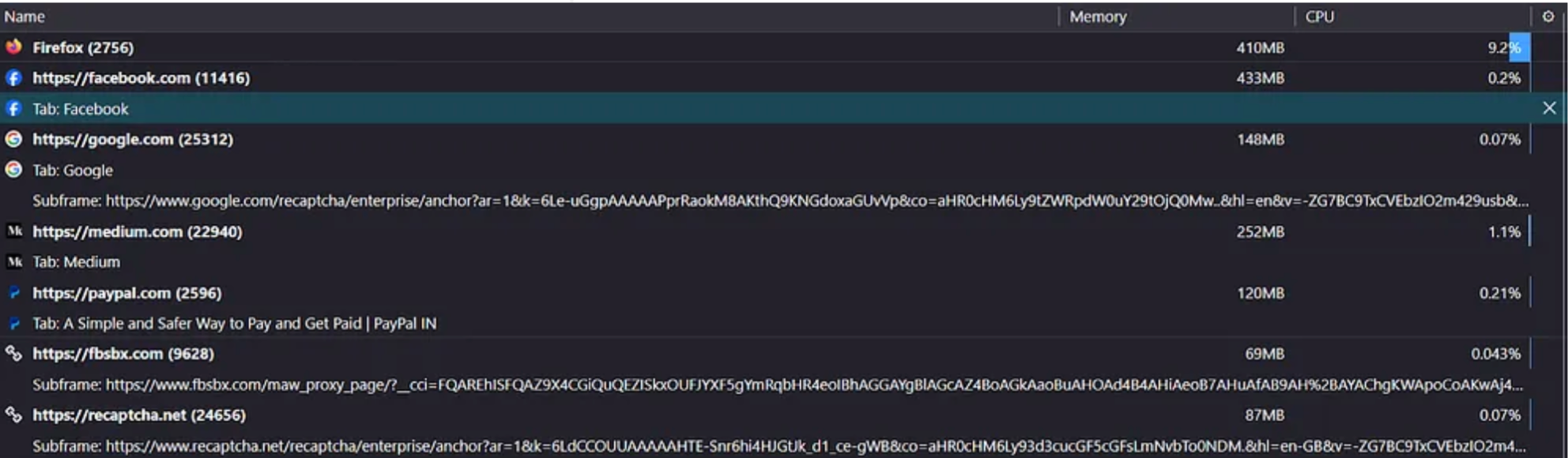
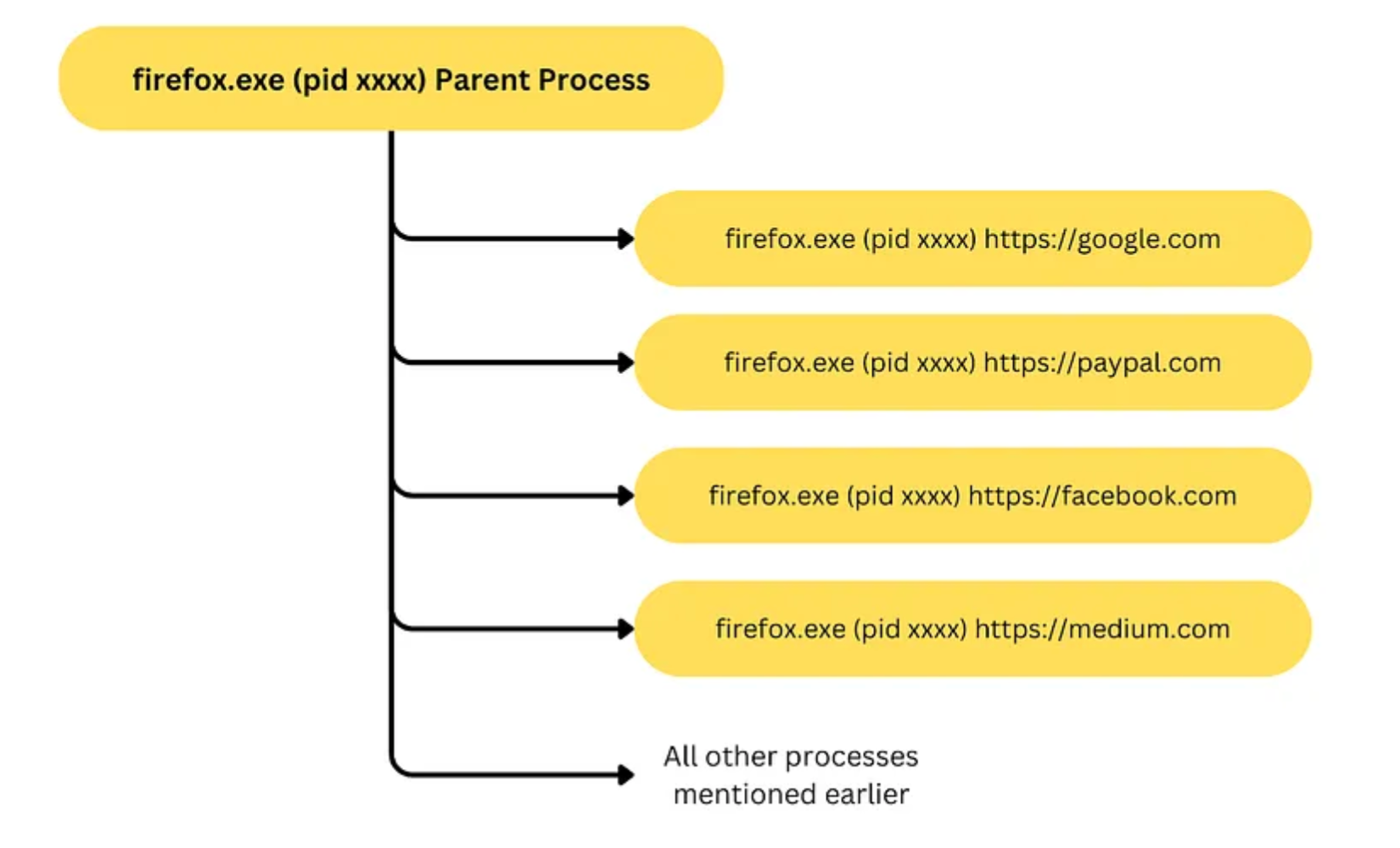
Finally we have processes related to each active webconnection you make from the browser which is opened separately in individual child processes.
Note
在沙盒中,firefox主进程会为每一个web连接或标签页都创建一个子进程,从而实现子进程间的隔离
浏览器沙箱经常被误解为保证浏览器中的所有代码都在安全、隔离的环境中运行。但是,更准确的描述是处理不同浏览器选项卡的进程彼此隔离。但是浏览器外部的外部进程仍可能访问这些浏览器进程的内存内容。
这意味着,虽然浏览器选项卡在沙箱中是彼此隔离的,但整个沙箱并非完全不受访问其内存的外部进程的影响。
您可能认为这是与 firefox 相关的问题,但是在检查所有流行的浏览器后,结果保持不变。
测试的浏览器 : 15/11/2024
Google Chrome 版本 131.0.6778.70
Brave 版本 1.73.89
火狐浏览器 132.0.2
Edge 版本 131.0.2903.48
Scenario: What an Attacker Can Do
这是一个demo项目:https://github.com/Shauryae1337/Browser-Memory-Exfiltration/
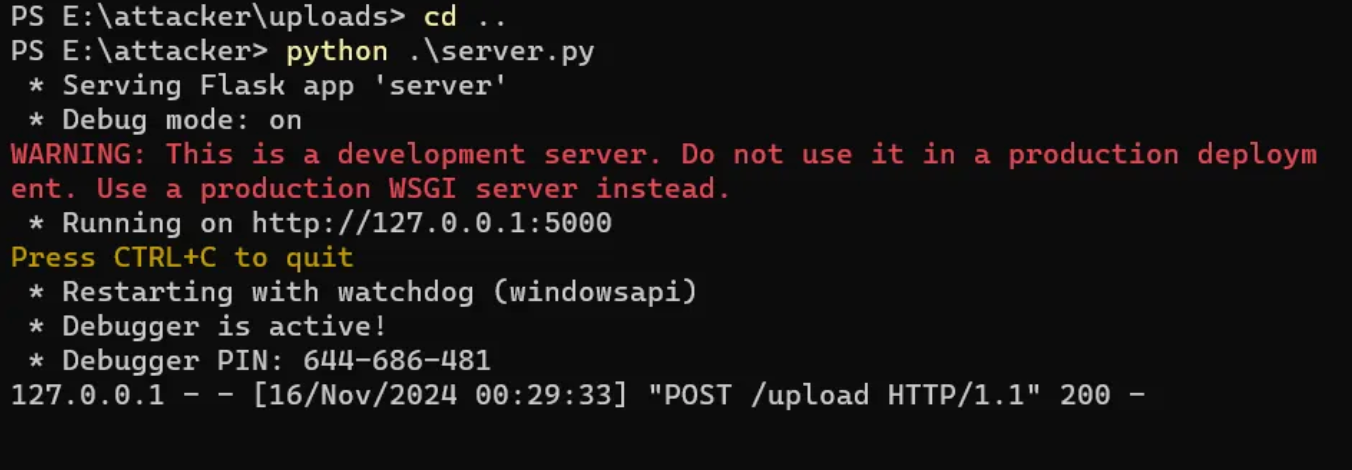
We have an exploit.ps1 which does the above mentioned.
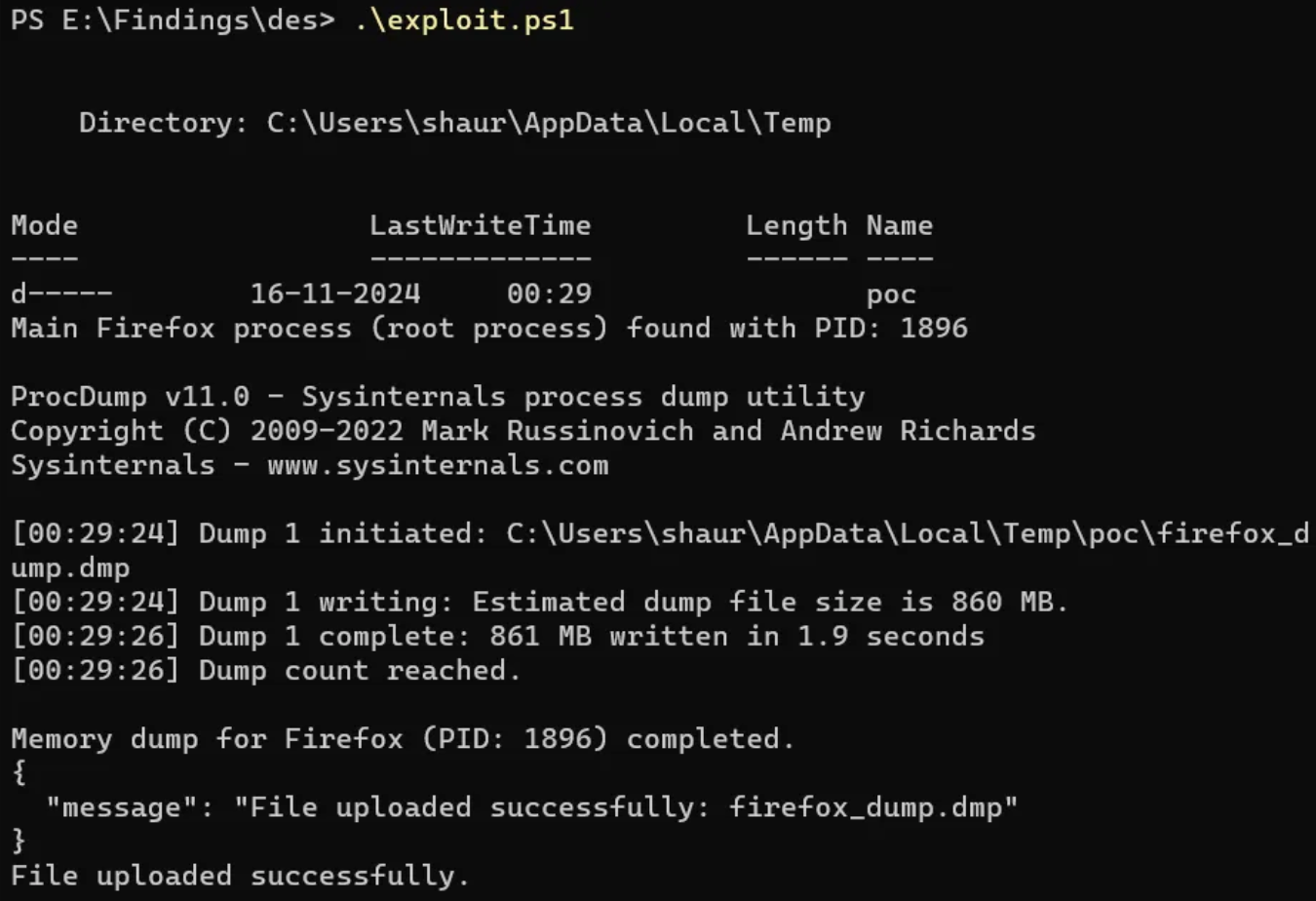
Then we have a server which receives the memory dump & stores it.
Once we have the memory dump we can proceed with extracting strings or even files, since due to ASLR the dump is a jumbled treasure of your browser activity & the information it contains.
For proof of concept I have added a script which can analyze the strings extracted & dig out some information such as phone numbers , emails and domains along with their frequency of appearance.
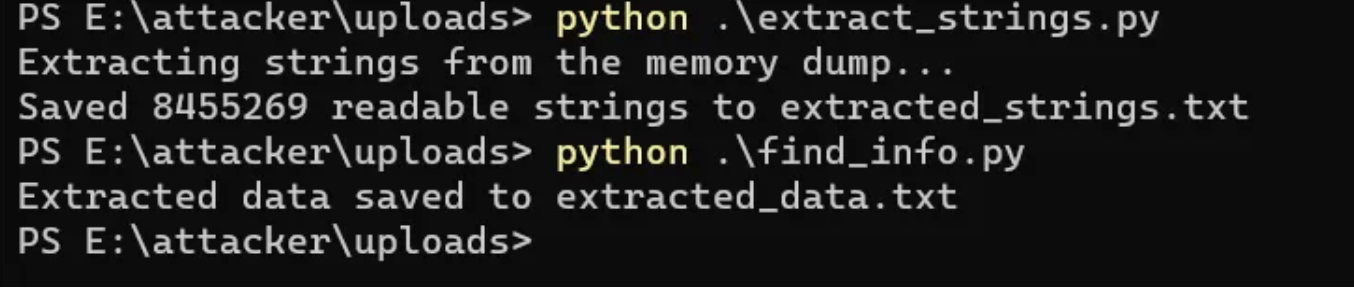
Extracting information might take a while since we have to do a lot of regular expressions , frequency analysis and removing duplicates. We can enhance the information extraction overtime with enough research.
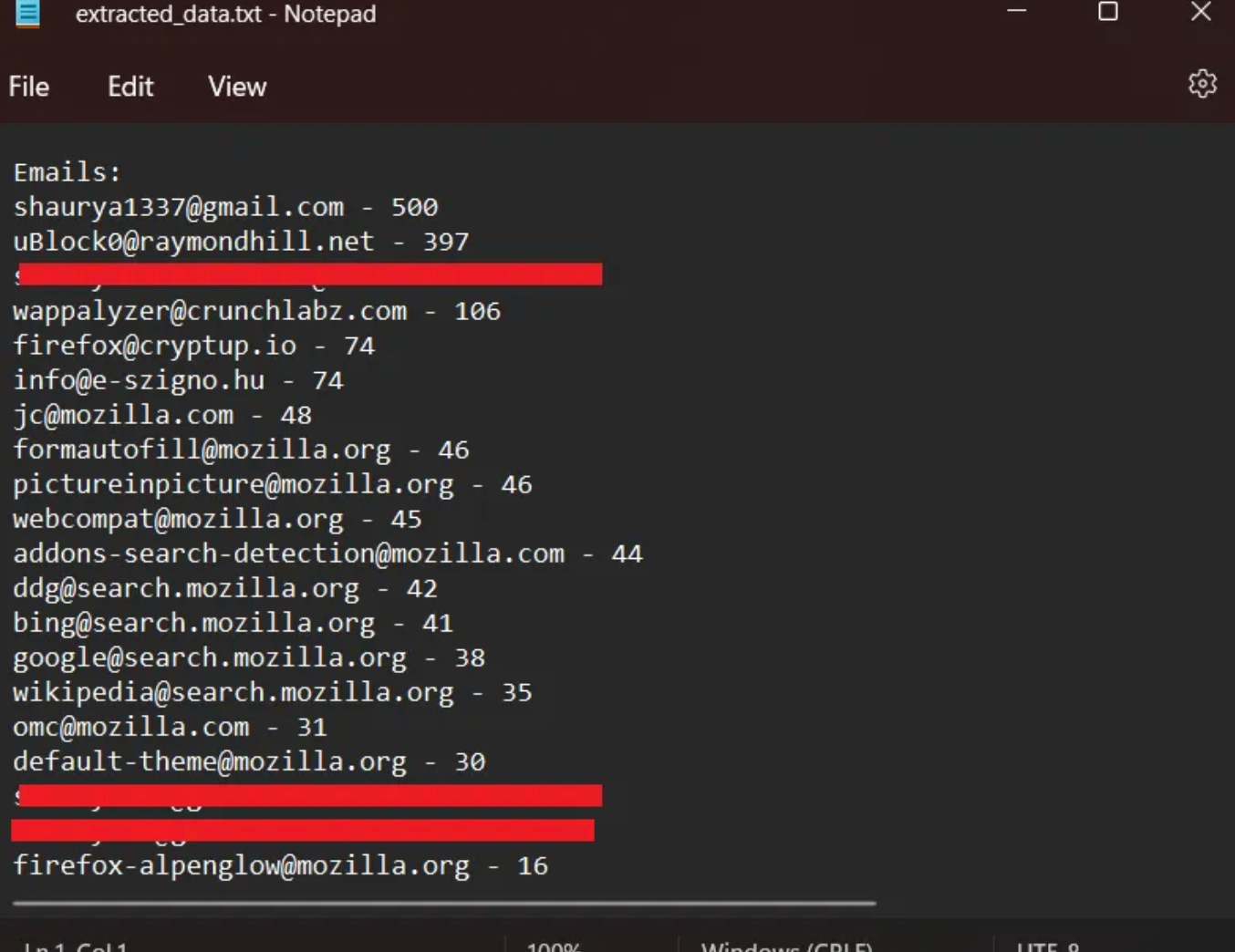
My email which I have for all public interactions at the top along with some data that fits in the regex used for filtering the data along with the frequency count.
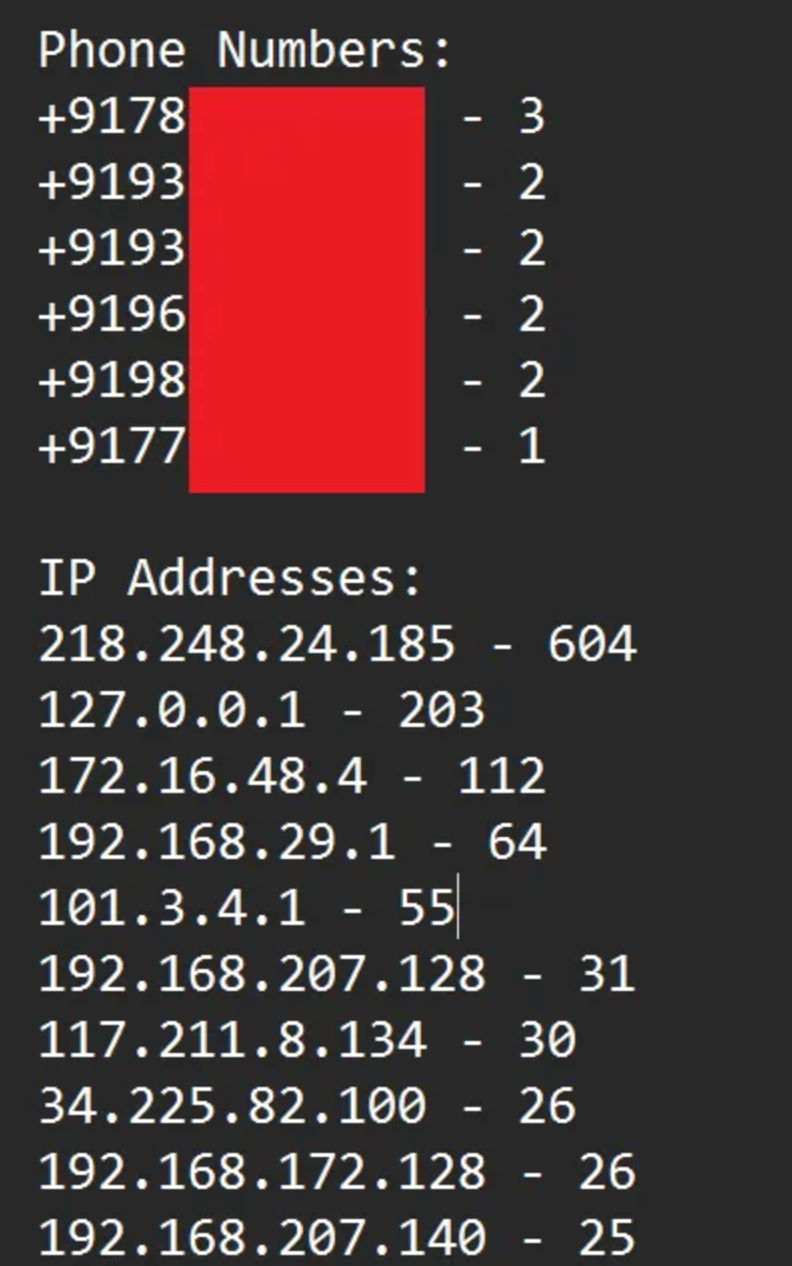
Some of the phone numbers & IP Addresses which were found in the dump.
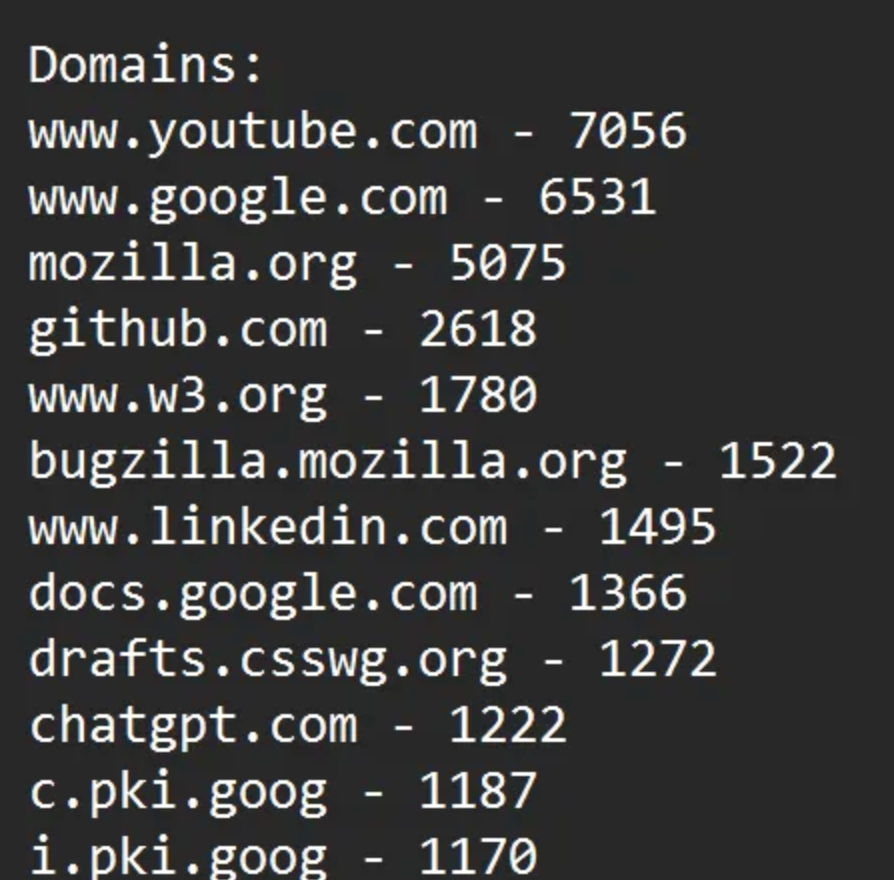
Most found domains in my activity, where an attacker would certainly look for crucial websites.
We can also use other tools like volatility framework or binwalk to extract more data , just depending upon the caliber of the forensic knowledge of the actor.
Mitigations which aren’t Mitigating the issue
When we talk about mitigation there are two very good points to start with :
A. Encrypting Data in Memory B. Clearing Data once it has been used
So here are two examples which we can use to create a simple sample program which can store our data in memory safely and return it upon request. I have attached the source code for mitigations in the repo :
Mitigation 1: XOR Encryption with VirtualLock and Secure Memory Allocation
While XOR encryption(or any other encryption) by itself is not considered secure for protecting sensitive data, combining it with non-pageable memory allocation and memory locking can offer some protection for data in transit or for temporary storage. You might replace the XOR with any other form of encryption Here’s how to mitigate risks using this approach:
- Allocate Non-Pageable Memory
- Read and Store Sensitive Data
- Encrypt Data In-Memory
- Zero Out the Original Plaintext
- Free and Unlock Memory
- Store and Handle Encrypted Data
- Decrypt Data (If Needed)
- Secure Memory Erasure
Mitigation 2: Using DPAPI (Data Protection API) for Encryption
The Data Protection API (DPAPI) provides a secure, high-level solution for protecting sensitive data using encryption mechanisms built into the Windows operating system. This method should be preferred for handling sensitive data securely, as it leverages established cryptographic protocols and Windows key management features. The method is also better than one mentioned in mitigation 1 but is platform dependent. Here’s how to mitigate risks using this approach:
- Allocate Memory for Sensitive Data
- Read and Store Sensitive Data
- Encrypt Data Using DPAPI
- Zero Out Plaintext After Encryption
- Free and Unlock Memory (If Locked)
- Store or Use Encrypted Data
- Decrypt Data When Needed
- Secure Memory Erasure
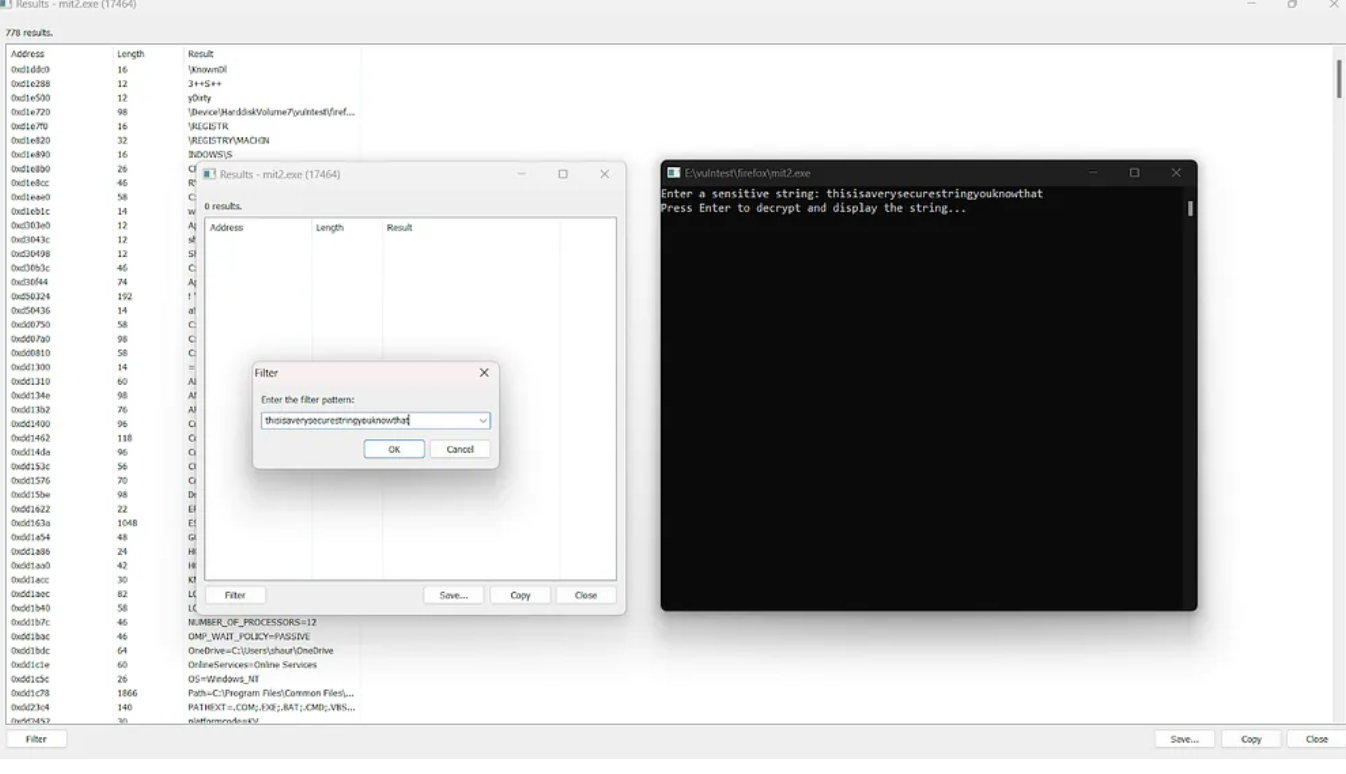
Checking the same attack against the mitigations we don’t find the secure string lying around in the memory for long in plaintext.
Note
但对于浏览器而言,如果将所有敏感数据加密存储在内存中,势必会影响性能,所以当前的浏览器都还是采取明文存储的方式