Mitmproxy自动化解密流量
上下游代理
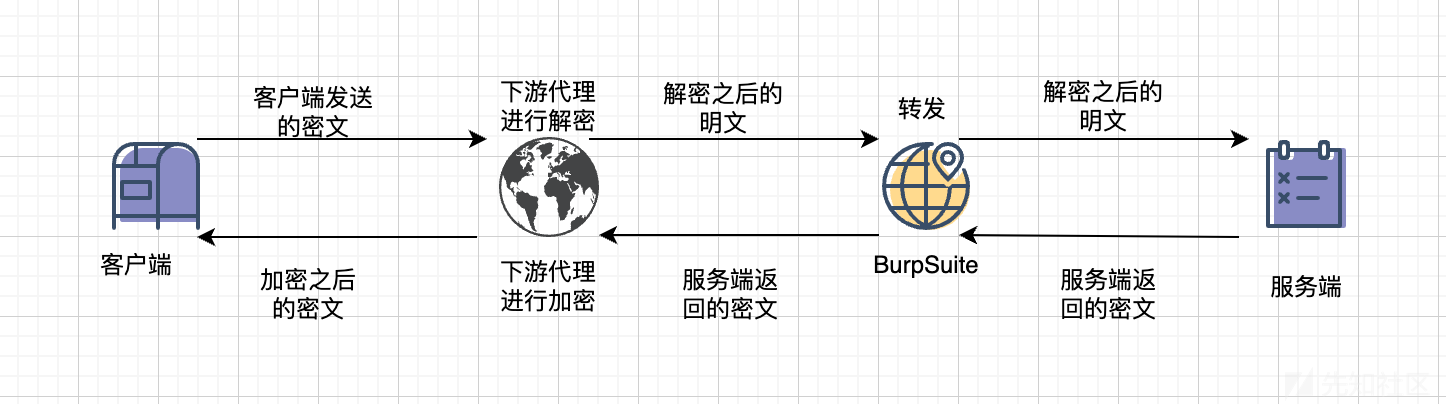
在此之前我们先了解一下代理,平时我们正常渗透一般是在浏览器挂代理,将流量转发给burp,再转发给服务器。同时服务器响应先返回给burp,burp再返回给客户端。
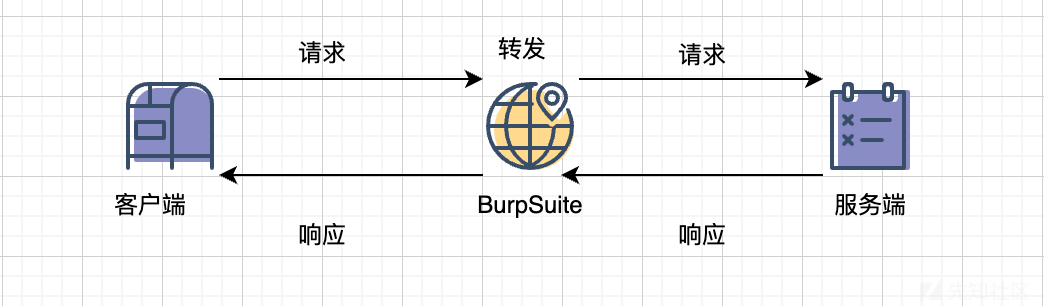
那么我们结合mitmdump的时候具体的请求如下:
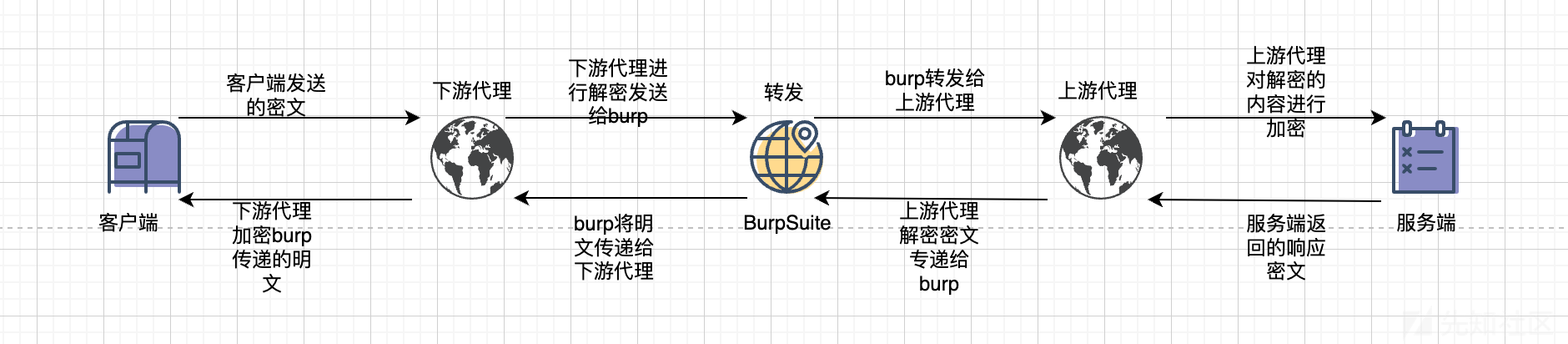
下游代理
下游代理主要是接收客户端的加密请求密文,进行解密将解密结果发送到burp,burp将解密的数据呈现给我们。同时将burp传递的明文加密然后返回给客户端。
上游代理
上游代理主要是处理burp传递的请求进行加密返回给服务端。同时接收服务端的加密响应密文,进行解密将解密结果发送到burp,burp将解密结果呈现给我们。
burp
burp的主要作用其实就是将解密结果呈现给我们,再一个就是可以使用repeter重发。
Burp/yakit/sqlmap&mitmproxy自动化解密流量
这里我们模拟请求和回显全被加密的情况
- server
from flask import Flask, request
from flask_cors import CORS  # type: ignore
from Crypto.Cipher import AES
import base64
import json

app = Flask(__name__)
CORS(app)  # Enable CORS for all routes

# AES key and IV (must be the same on both client and server)
AES_KEY = b'1234567890123456'  # 16 bytes key
AES_IV = b'1234567890123456'   # 16 bytes IV


# Helper functions for AES encryption and decryption
def aes_decrypt(ciphertext):
    cipher = AES.new(AES_KEY, AES.MODE_CBC, AES_IV)
    decrypted = cipher.decrypt(base64.b64decode(ciphertext))
    # Remove PKCS7 padding
    padding_length = decrypted[-1]
    decrypted = decrypted[:-padding_length]
    return decrypted.decode('utf-8')


def aes_encrypt(plaintext):
    cipher = AES.new(AES_KEY, AES.MODE_CBC, AES_IV)
    padded = plaintext + (16 - len(plaintext) % 16) * '\0'
    encrypted = cipher.encrypt(padded.encode('utf-8'))
    return base64.b64encode(encrypted).decode('utf-8')


# Dummy user database
USER_DB = {
    "testuser": "password123",
    "admin": "adminpass"
}


@app.route('/login', methods=['POST'])
def login():
    try:
        # Decrypt the incoming request body
        encrypted_data = request.data.decode('utf-8')
        decrypted_data = aes_decrypt(encrypted_data)
        credentials = json.loads(decrypted_data)

        username = credentials.get('username')
        password = credentials.get('password')

        # Validate username and password
        if username in USER_DB and USER_DB[username] == password:
            response = {"status": "success", "message": "Login successful"}
        else:
            response = {"status": "failure",
                        "message": "Invalid username or password"}

        # Encrypt the response
        encrypted_response = aes_encrypt(json.dumps(response))
        return encrypted_response

    except Exception as e:
        error_response = {"status": "error", "message": str(e)}
        encrypted_error_response = aes_encrypt(json.dumps(error_response))
        return encrypted_error_response


if __name__ == '__main__':
    app.run(host='0.0.0.0', port=8000, debug=True)
- client
<!DOCTYPE html>
<html lang="en">
<head>
    <meta charset="UTF-8">
    <meta name="viewport" content="width=device-width, initial-scale=1.0">
    <title>Client Test</title>
    <script src="https://gcore.jsdelivr.net/npm/crypto-js@4.1.1/crypto-js.min.js"></script>
</head>
<body>
    <h1>Login</h1>
    <form id="loginForm">
        <label for="username">Username:</label>
        <input type="text" id="username" name="username" required>
        <br><br>
        <label for="password">Password:</label>
        <input type="password" id="password" name="password" required>
        <br><br>
        <button type="submit">Login</button>
    </form>
    <p id="response"></p>

    <script>
        // AES key and IV (must match the server)
        const AES_KEY = CryptoJS.enc.Utf8.parse('1234567890123456'); // 16 bytes key
        const AES_IV = CryptoJS.enc.Utf8.parse('1234567890123456');  // 16 bytes IV

        // Helper function for AES encryption
        function aesEncrypt(plaintext) {
            const encrypted = CryptoJS.AES.encrypt(plaintext, AES_KEY, {
                iv: AES_IV,
                mode: CryptoJS.mode.CBC,
                padding: CryptoJS.pad.Pkcs7
            });
            return encrypted.toString();
        }

        // Helper function for AES decryption
        function aesDecrypt(ciphertext) {
            const decrypted = CryptoJS.AES.decrypt(ciphertext, AES_KEY, {
                iv: AES_IV,
                mode: CryptoJS.mode.CBC,
                padding: CryptoJS.pad.Pkcs7
            });
            return decrypted.toString(CryptoJS.enc.Utf8);
        }

        // Handle form submission
        document.getElementById('loginForm').addEventListener('submit', async function(event) {
            event.preventDefault();

            const username = document.getElementById('username').value;
            const password = document.getElementById('password').value;

            // Prepare the credentials
            const credentials = JSON.stringify({ username, password });

            // Encrypt the credentials
            const encryptedData = aesEncrypt(credentials);

            try {
                // Send the POST request
                const response = await fetch('http://192.168.1.102:8000/login', {
                    method: 'POST',
                    headers: { 'Content-Type': 'text/plain' },
                    body: encryptedData
                });

                // Read and decrypt the server response
                const encryptedResponse = await response.text();
                const decryptedResponse = aesDecrypt(encryptedResponse);

                // Display the response
                document.getElementById('response').textContent = decryptedResponse;
            } catch (error) {
                document.getElementById('response').textContent = 'Error: ' + error.message;
            }
        });
    </script>
</body>
</html>
客户端/服务端交互逻辑
- 客户端
对提交的POST表单采用AES加密,发送给服务端,并将从服务端获取的结果AES解密展现在页面上
- 服务端
对客户端POST提交的请求体进行AES解密,随后校验用户名和密码是否匹配,并将校验的结果再次采用AES加密返回给客户端
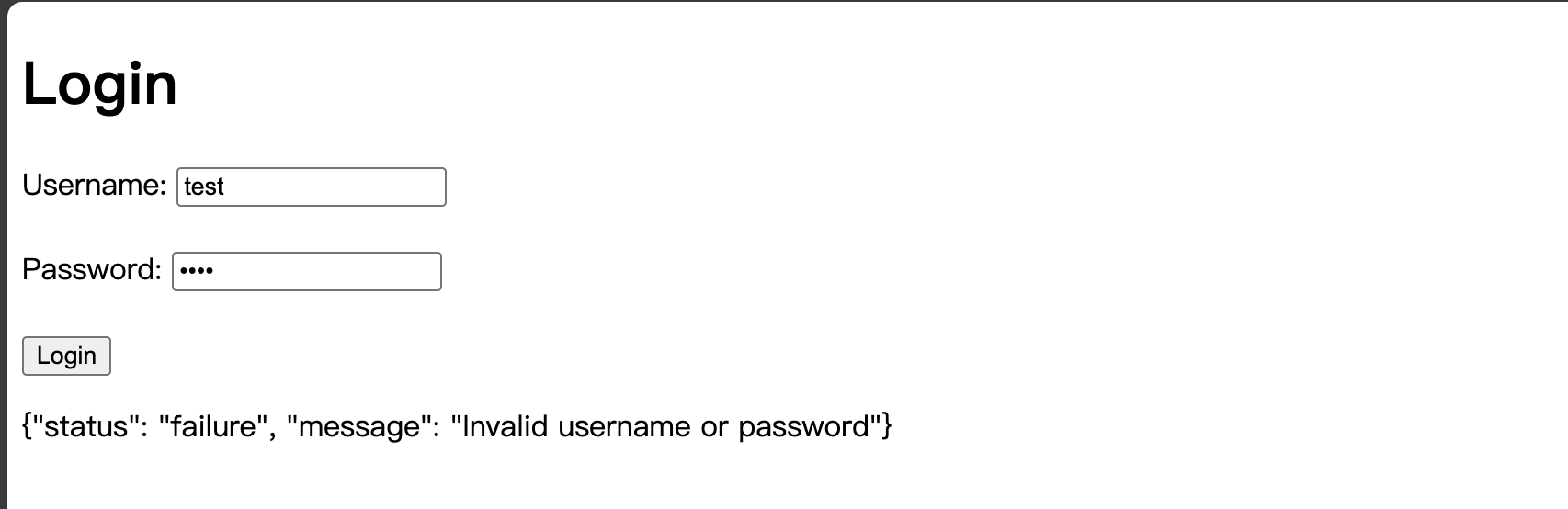
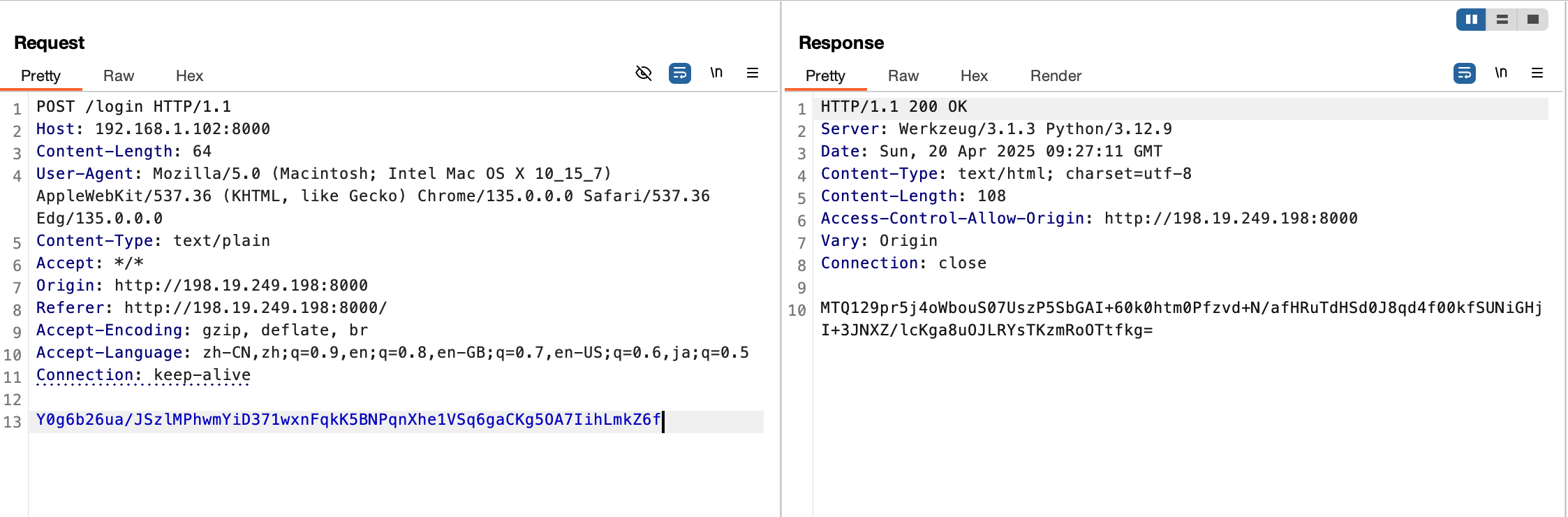
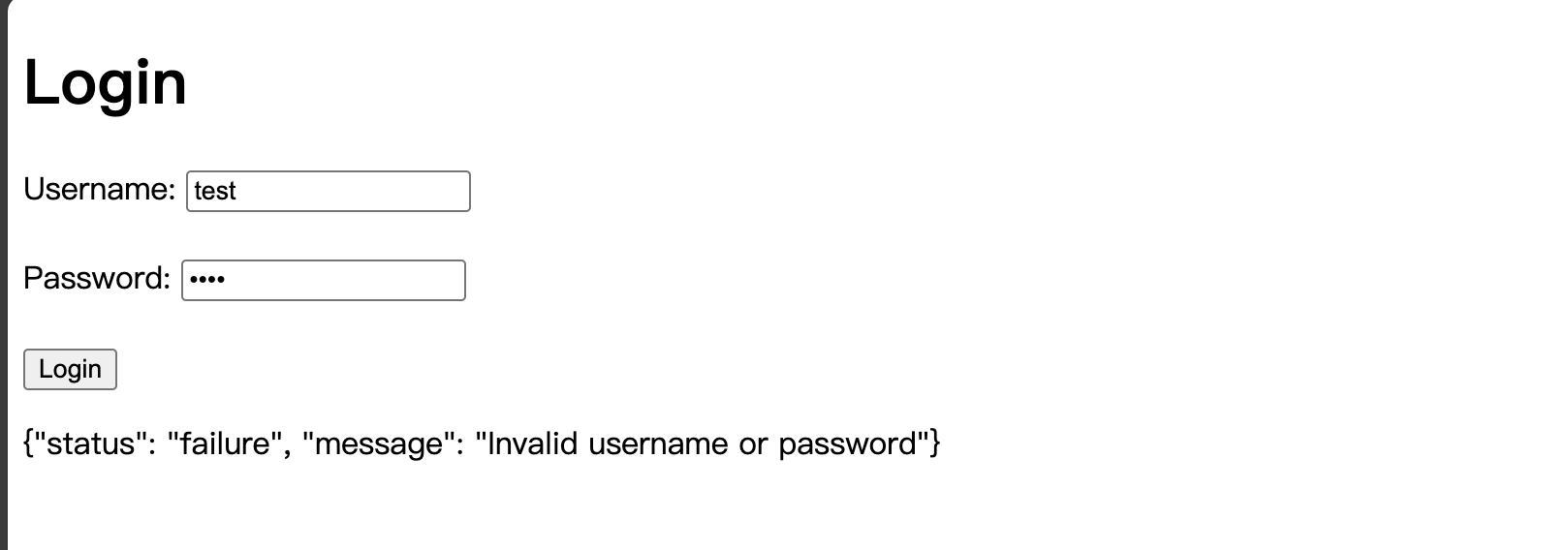
当我们使用burp对该请求抓包时,会发现请求和response全为加密,根本无法进行改包等操作,那么我们此时有以下思路:
-
首先找到加密算法和密钥
-
如果能找到加密算法和密钥,在burp处进行请求和response的加解密(可能需要插件辅助)或者在mitmproxy处进行加密和解密,并配置好上游和下游代理
这里我们选择在mitmproxy处进行加密和解密
mitmproxy配置下游代理
- downstream_agent
from mitmproxy import ctx, http
from Crypto.Cipher import AES
from Crypto.Util.Padding import unpad
import base64
# import json

# AES key and IV (must match the client)
AES_KEY = b'1234567890123456'  # 16 bytes key
AES_IV = b'1234567890123456'   # 16 bytes IV


# Helper functions for AES encryption and decryption
def aes_decrypt(ciphertext):
    cipher = AES.new(AES_KEY, AES.MODE_CBC, AES_IV)
    decrypted = cipher.decrypt(base64.b64decode(ciphertext))
    return unpad(decrypted, AES.block_size).decode('utf-8')


class DownstreamAgent:
    def request(self, flow: http.HTTPFlow):
        # Intercept requests from the client
        if flow.request.host == "192.168.1.102" and flow.request.port == 8000:
            ctx.log.info("拦截到客户端请求")
            encrypted_data = flow.request.get_text()
            if encrypted_data is not None:
                ctx.log.info(f"加密的请求数据 => {encrypted_data}")  # noqa
            else:
                ctx.log.error("请求数据为空,无法解码")

            # Decrypt the request data
            try:
                decrypted_data = aes_decrypt(encrypted_data)
                ctx.log.info(f"解密后的请求数据 => {decrypted_data}")

                # 将解密后的数据替换到请求中
                flow.request.set_text(decrypted_data)
            except Exception as e:
                ctx.log.error(f"解密请求数据失败: {e}")

    def response(self, flow: http.HTTPFlow):
        # Intercept responses from the server
        if flow.request.host == "192.168.1.102" and flow.request.port == 8000:
            ctx.log.info("拦截到服务端响应")
            if flow.response is not None:
                content = flow.response.get_text()
                if content is not None:
                    ctx.log.info(f"响应数据 => {content}")  # noqa
                else:
                    ctx.log.error("响应数据为空,无法解码")
            else:
                ctx.log.error("响应为空,无法处理")


addons = [DownstreamAgent()]
启动下游代理,并设置上游代理为burp
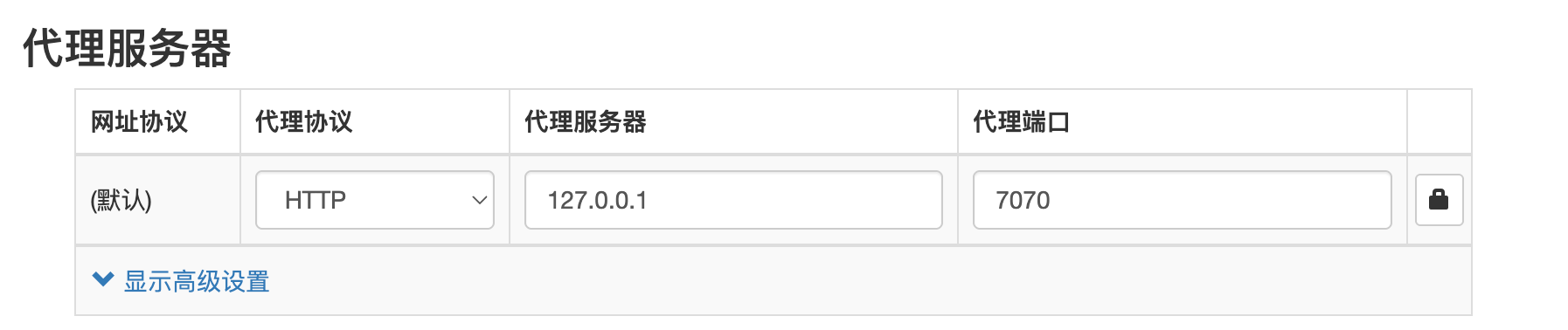
配置浏览器代理为mitmproxy下游代理地址
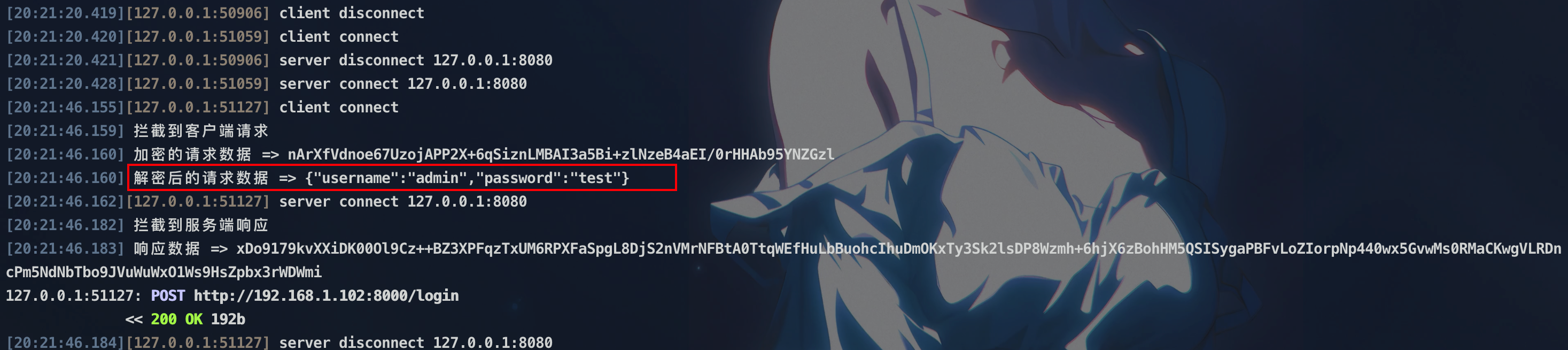
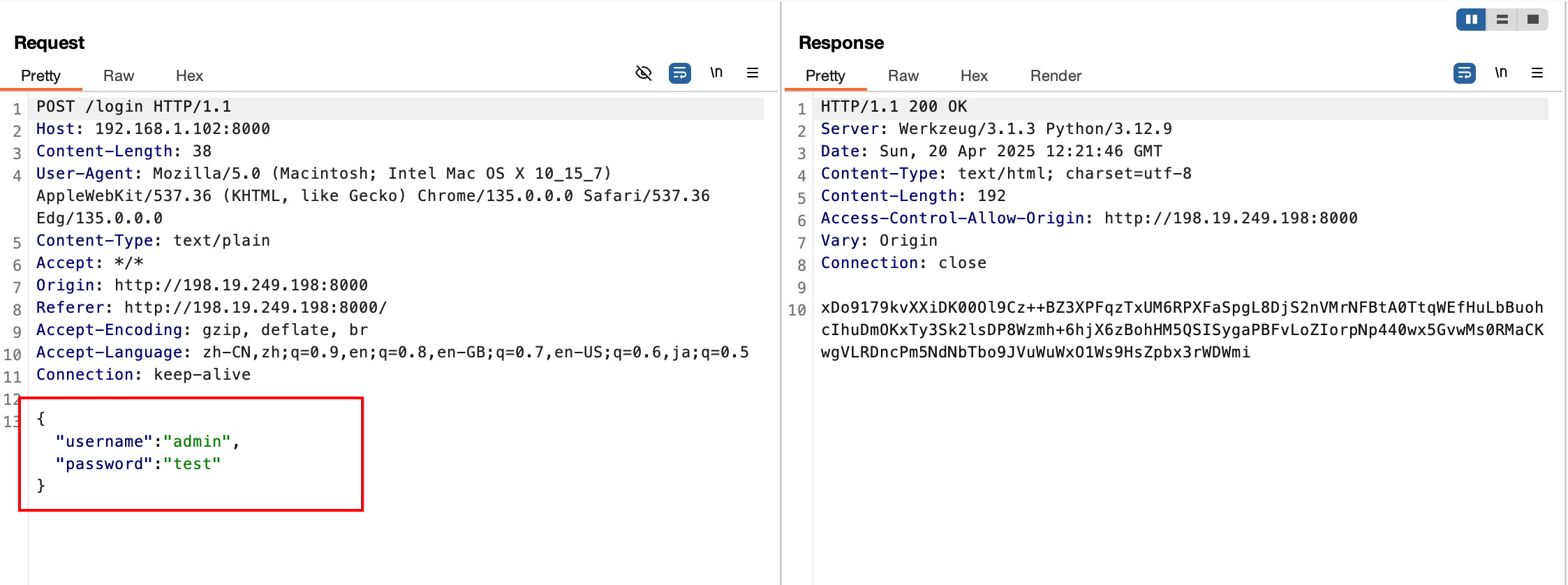
可以看到bp请求已解密,而由于请求解密导致后端无法解密,所以返回错误
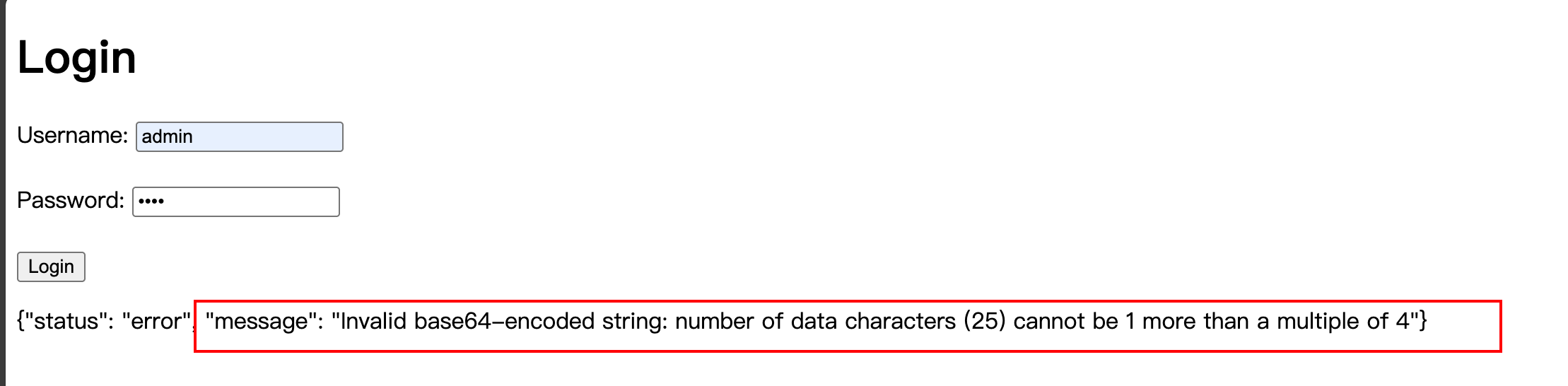
此时的流程为
mitmproxy配置上游代理
- upstream_agent
from mitmproxy import ctx, http
from Crypto.Cipher import AES
from Crypto.Util.Padding import unpad
import base64
# import json

# AES key and IV (must match the client)
AES_KEY = b'1234567890123456'  # 16 bytes key
AES_IV = b'1234567890123456'   # 16 bytes IV


# Helper functions for AES encryption and decryption
def aes_decrypt(ciphertext):
    cipher = AES.new(AES_KEY, AES.MODE_CBC, AES_IV)
    decrypted = cipher.decrypt(base64.b64decode(ciphertext))
    return unpad(decrypted, AES.block_size).decode('utf-8')


class UpstreamAgent:
    def request(self, flow: http.HTTPFlow):
        # Intercept requests from the client
        if flow.request.host == "192.168.1.102" and flow.request.port == 8000:
            ctx.log.info("拦截到客户端请求")
            encrypted_data = flow.request.get_content()
            if encrypted_data is not None:
                ctx.log.info(f"加密的请求数据 => {encrypted_data.decode('utf-8')}")  # noqa
            else:
                ctx.log.error("请求数据为空,无法解码")

    def response(self, flow: http.HTTPFlow):
        # Intercept responses from the server
        if flow.request.host == "192.168.1.102" and flow.request.port == 8000:
            ctx.log.info("拦截到服务端响应")
            if flow.response is not None:
                encrypted_response = flow.response.get_text()
            else:
                ctx.log.error("响应为空,无法获取加密的响应数据")
                return
            if encrypted_response is not None:
                ctx.log.info(f"加密的响应数据 => {encrypted_response}")
            else:
                ctx.log.error("加密的响应数据为空,无法解码")

            # Decrypt the response data
            try:
                decrypted_response = aes_decrypt(encrypted_response)
                ctx.log.info(f"解密后的响应数据 => {decrypted_response}")

                if flow.response is not None:
                    flow.response.set_content(decrypted_response.encode('utf-8'))  # noqa
            except Exception as e:
                ctx.log.error(f"解密或加密响应数据失败: {e}")


addons = [UpstreamAgent()]
启动上游代理,配置burp上游代理为该地址
配置浏览器代理为burp代理地址

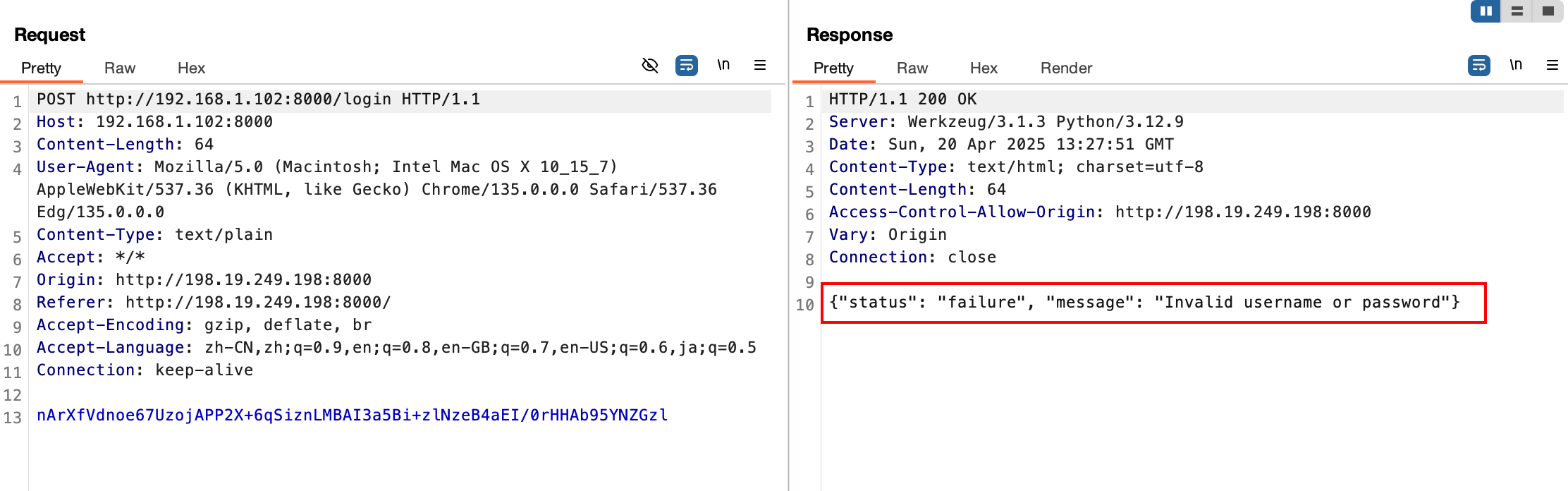
可以看到此时bp响应已解密,而由于服务器响应解密导致客户端无法解密,所以页面无显示
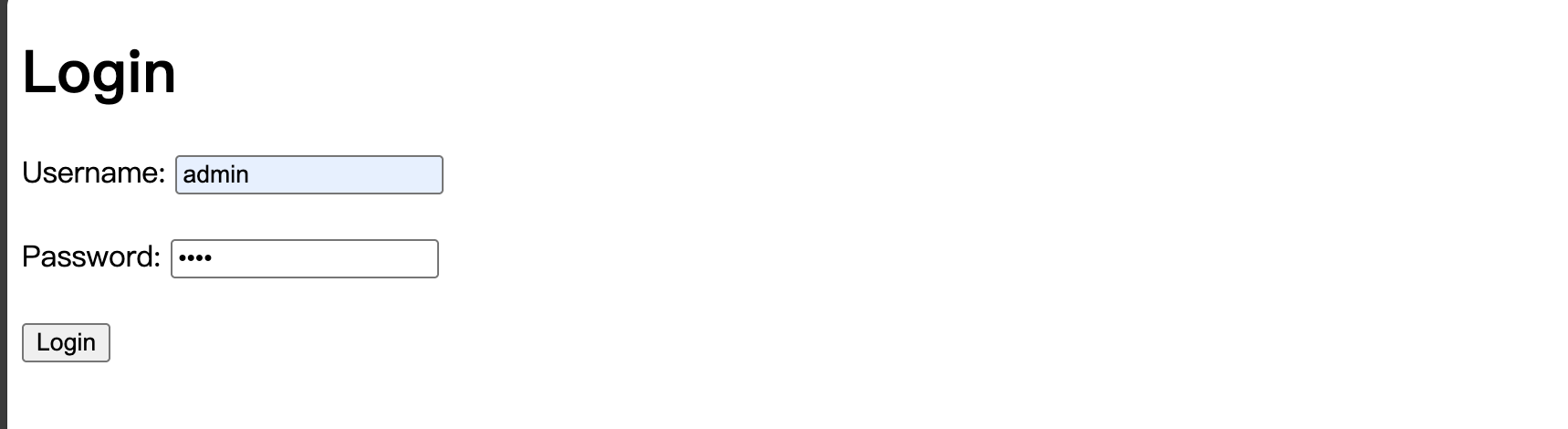
此时流程为
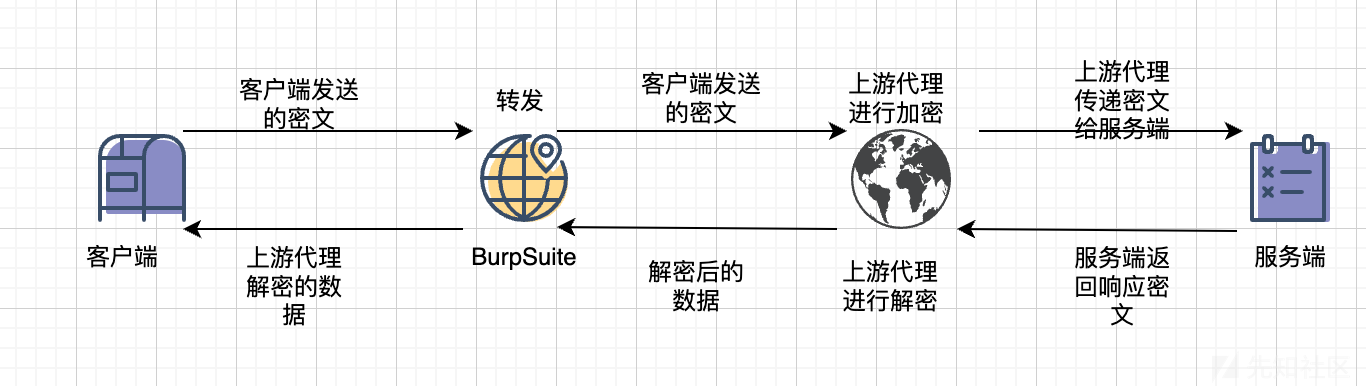
mitmproxy双向解密
- downstream_agent
from mitmproxy import ctx, http
from Crypto.Cipher import AES
from Crypto.Util.Padding import unpad
import base64
# import json

# AES key and IV (must match the client)
AES_KEY = b'1234567890123456'  # 16 bytes key
AES_IV = b'1234567890123456'   # 16 bytes IV


# Helper functions for AES encryption and decryption
def aes_decrypt(ciphertext):
    cipher = AES.new(AES_KEY, AES.MODE_CBC, AES_IV)
    decrypted = cipher.decrypt(base64.b64decode(ciphertext))
    return unpad(decrypted, AES.block_size).decode('utf-8')


class DownstreamAgent:
    def request(self, flow: http.HTTPFlow):
        # Intercept requests from the client
        if flow.request.host == "192.168.1.102" and flow.request.port == 8000:
            ctx.log.info("拦截到客户端请求")
            encrypted_data = flow.request.get_text()
            if encrypted_data is not None:
                ctx.log.info(f"加密的请求数据 => {encrypted_data}")  # noqa
            else:
                ctx.log.error("请求数据为空,无法解码")

            # Decrypt the request data
            try:
                decrypted_data = aes_decrypt(encrypted_data)
                ctx.log.info(f"解密后的请求数据 => {decrypted_data}")

                # 将解密后的数据替换到请求中
                flow.request.set_text(decrypted_data)
            except Exception as e:
                ctx.log.error(f"解密请求数据失败: {e}")

    def response(self, flow: http.HTTPFlow):
        # Intercept responses from the server
        if flow.request.host == "192.168.1.102" and flow.request.port == 8000:
            ctx.log.info("拦截到服务端响应")
            if flow.response is not None:
                content = flow.response.get_text()
                if content is not None:
                    ctx.log.info(f"响应数据 => {content}")  # noqa
                else:
                    ctx.log.error("响应数据为空,无法解码")
            else:
                ctx.log.error("响应为空,无法处理")


addons = [DownstreamAgent()]
- upstream_agent
from mitmproxy import ctx, http
from Crypto.Cipher import AES
from Crypto.Util.Padding import unpad
import base64
# import json

# AES key and IV (must match the client)
AES_KEY = b'1234567890123456'  # 16 bytes key
AES_IV = b'1234567890123456'   # 16 bytes IV


# Helper functions for AES encryption and decryption
def aes_decrypt(ciphertext):
    cipher = AES.new(AES_KEY, AES.MODE_CBC, AES_IV)
    decrypted = cipher.decrypt(base64.b64decode(ciphertext))
    return unpad(decrypted, AES.block_size).decode('utf-8')


class UpstreamAgent:
    def request(self, flow: http.HTTPFlow):
        # Intercept requests from the client
        if flow.request.host == "192.168.1.102" and flow.request.port == 8000:
            ctx.log.info("拦截到客户端请求")
            encrypted_data = flow.request.get_content()
            if encrypted_data is not None:
                ctx.log.info(f"加密的请求数据 => {encrypted_data.decode('utf-8')}")  # noqa
            else:
                ctx.log.error("请求数据为空,无法解码")

    def response(self, flow: http.HTTPFlow):
        # Intercept responses from the server
        if flow.request.host == "192.168.1.102" and flow.request.port == 8000:
            ctx.log.info("拦截到服务端响应")
            if flow.response is not None:
                encrypted_response = flow.response.get_text()
            else:
                ctx.log.error("响应为空,无法获取加密的响应数据")
                return
            if encrypted_response is not None:
                ctx.log.info(f"加密的响应数据 => {encrypted_response}")
            else:
                ctx.log.error("加密的响应数据为空,无法解码")

            # Decrypt the response data
            try:
                decrypted_response = aes_decrypt(encrypted_response)
                ctx.log.info(f"解密后的响应数据 => {decrypted_response}")

                if flow.response is not None:
                    flow.response.set_content(decrypted_response.encode('utf-8'))  # noqa
            except Exception as e:
                ctx.log.error(f"解密或加密响应数据失败: {e}")


addons = [UpstreamAgent()]
# 启动下游代理,并设置上游代理为burp
mitmdump -p 7070 -s downstream_agent.py  --mode upstream:http://127.0.0.1:8080 --ssl-insecure
# 启动上游代理,配置burp上游代理为该地址
mitmdump -p 9091 -s upstream_agent.py --ssl-insecure
- 下游代理

- 上游代理

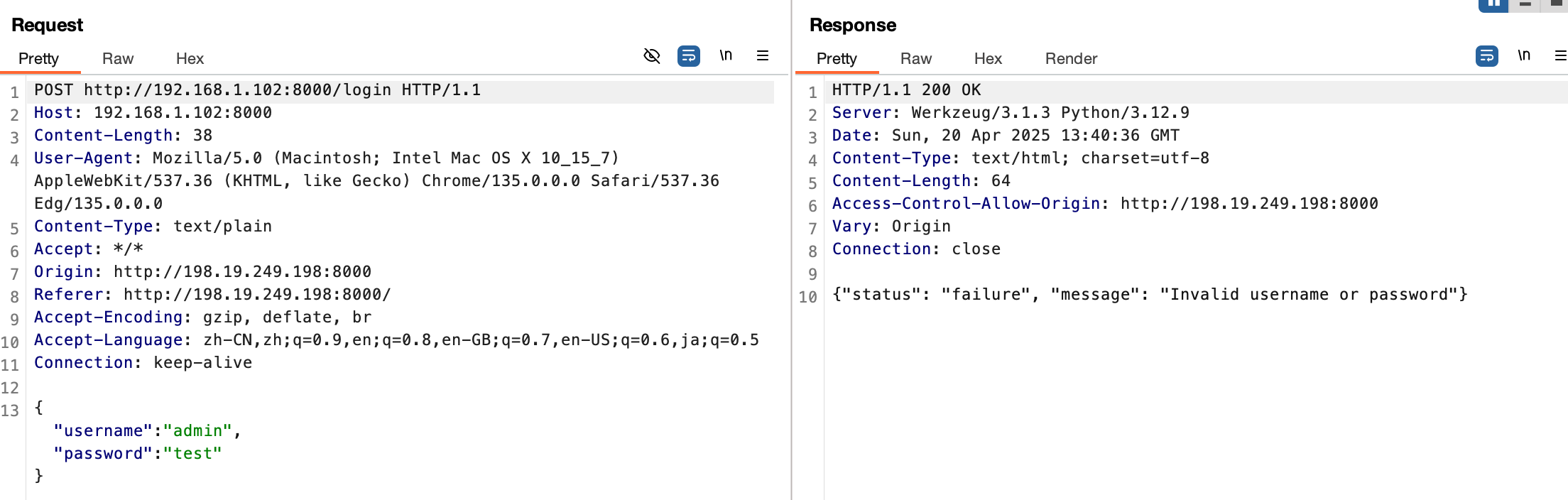
可以看到此时bp请求和响应都是解密后的,且客户端与服务端皆正常解密
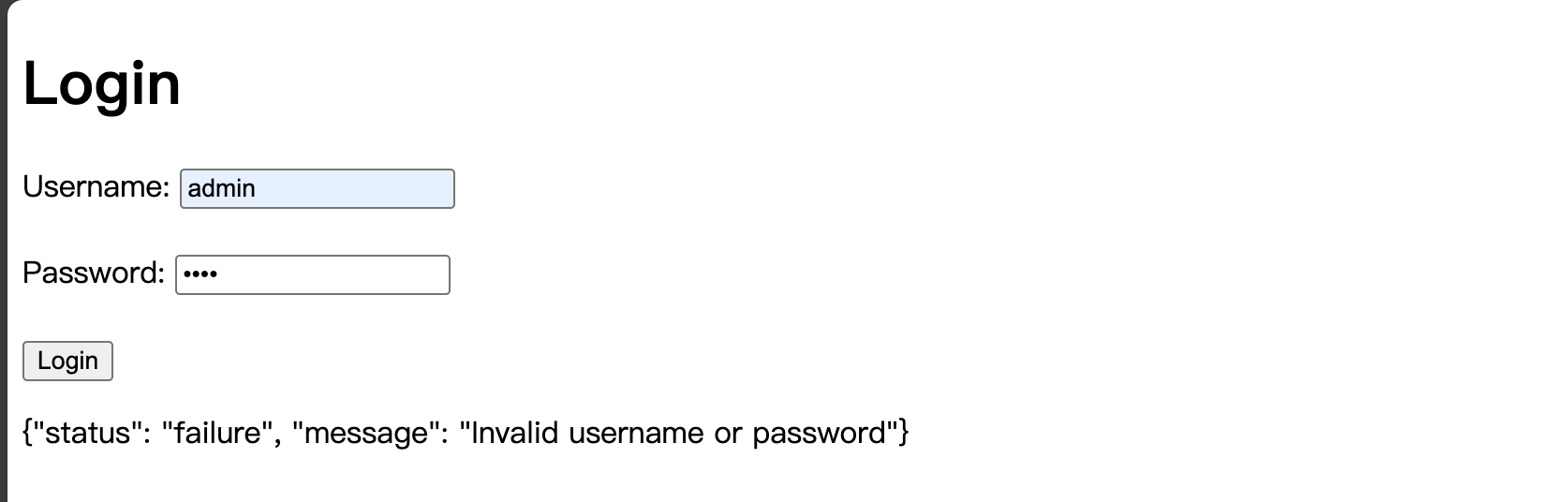
此时流程为:
之后就和正常渗透相同了,抓包、改包、重放、爆破,扫描等
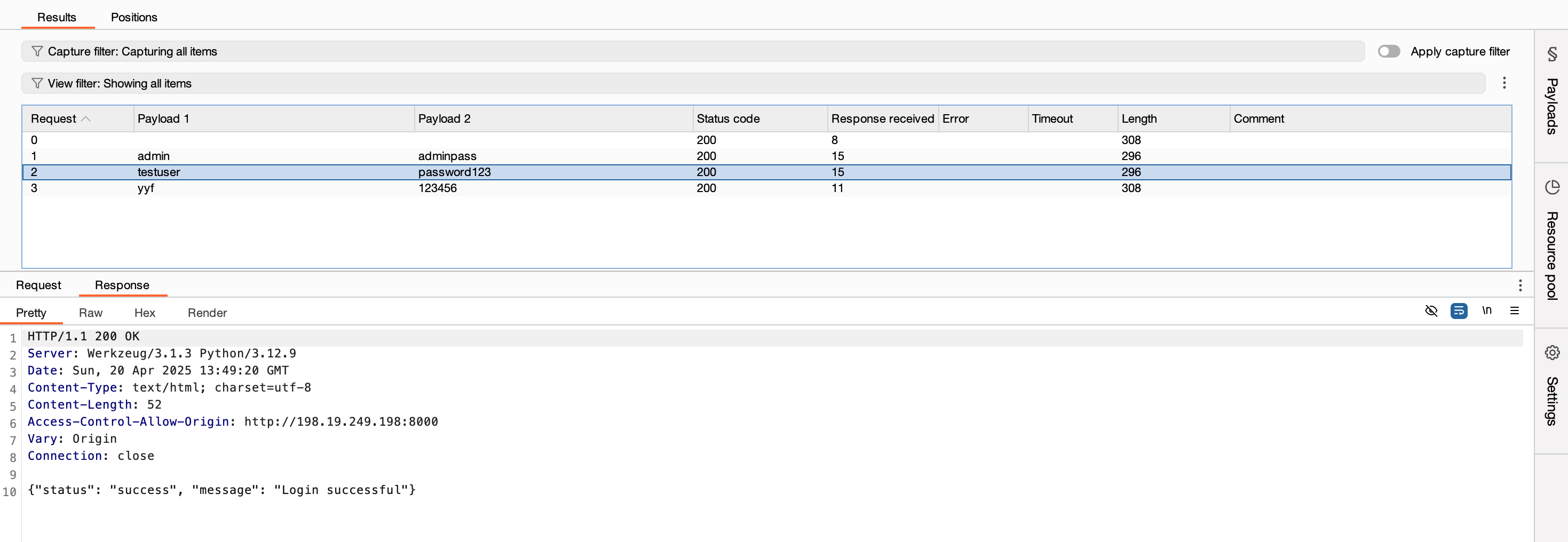
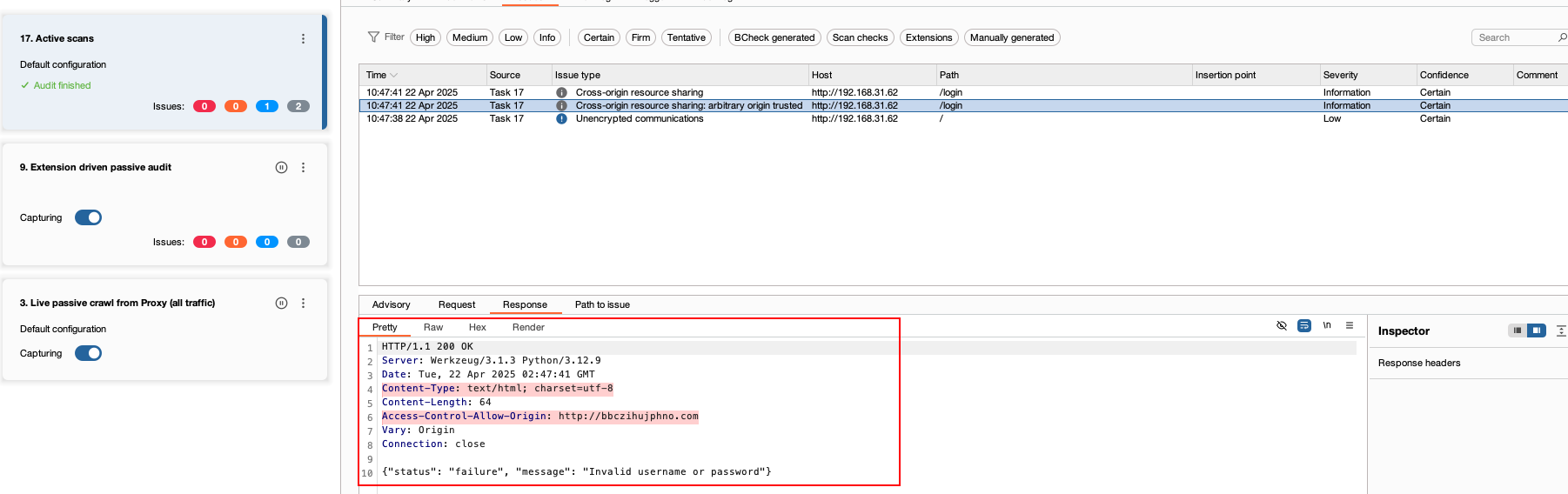
Sqlmap配合mitmproxy
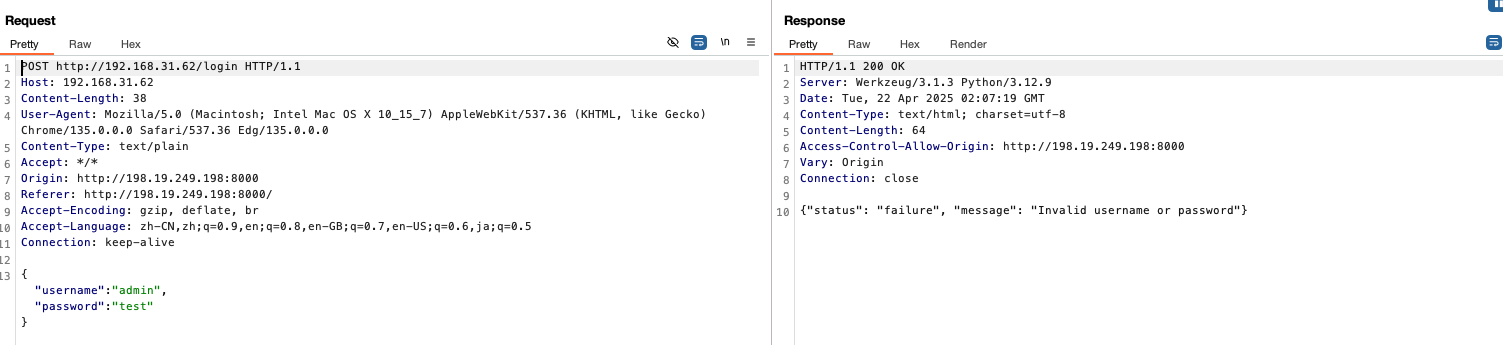
burp抓取解密后的请求,存储为txt文件
首先查看下sqlmap注入response未解密的流量,指定sqlmap代理为burp的代理,在burp中可以看到sqlmap注入的流量
在使用 sqlmap 进行攻击时,可以通过设置 -v 参数来查看服务器返回的 response。-v 参数用于控制输出信息的详细程度,具体如下:
- 0:只输出 Python 出错回溯信息,错误和关键信息。
- 1:增加输出普通信息和警告信息。
- 2:增加输出调试信息。
- 3:增加输出已注入的 payloads。
- 4:增加输出 HTTP 请求。
- 5:增加输出 HTTP 响应头。
- 6:增加输出 HTTP 响应内容。
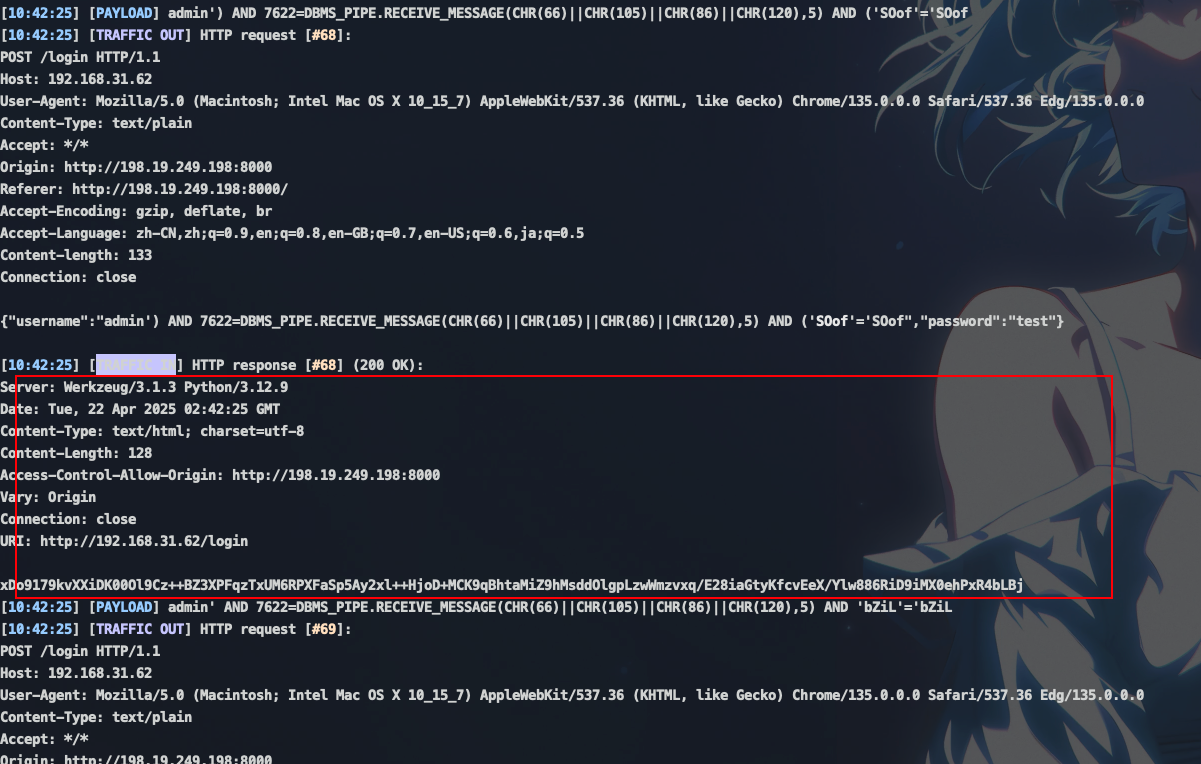
可以看到此时response为加密状态,所以即使存在sql注入漏洞,sqlmap也无法探测出来
sqlmap对POST请求进行注入,并且指定代理为mitmproxy的上游代理

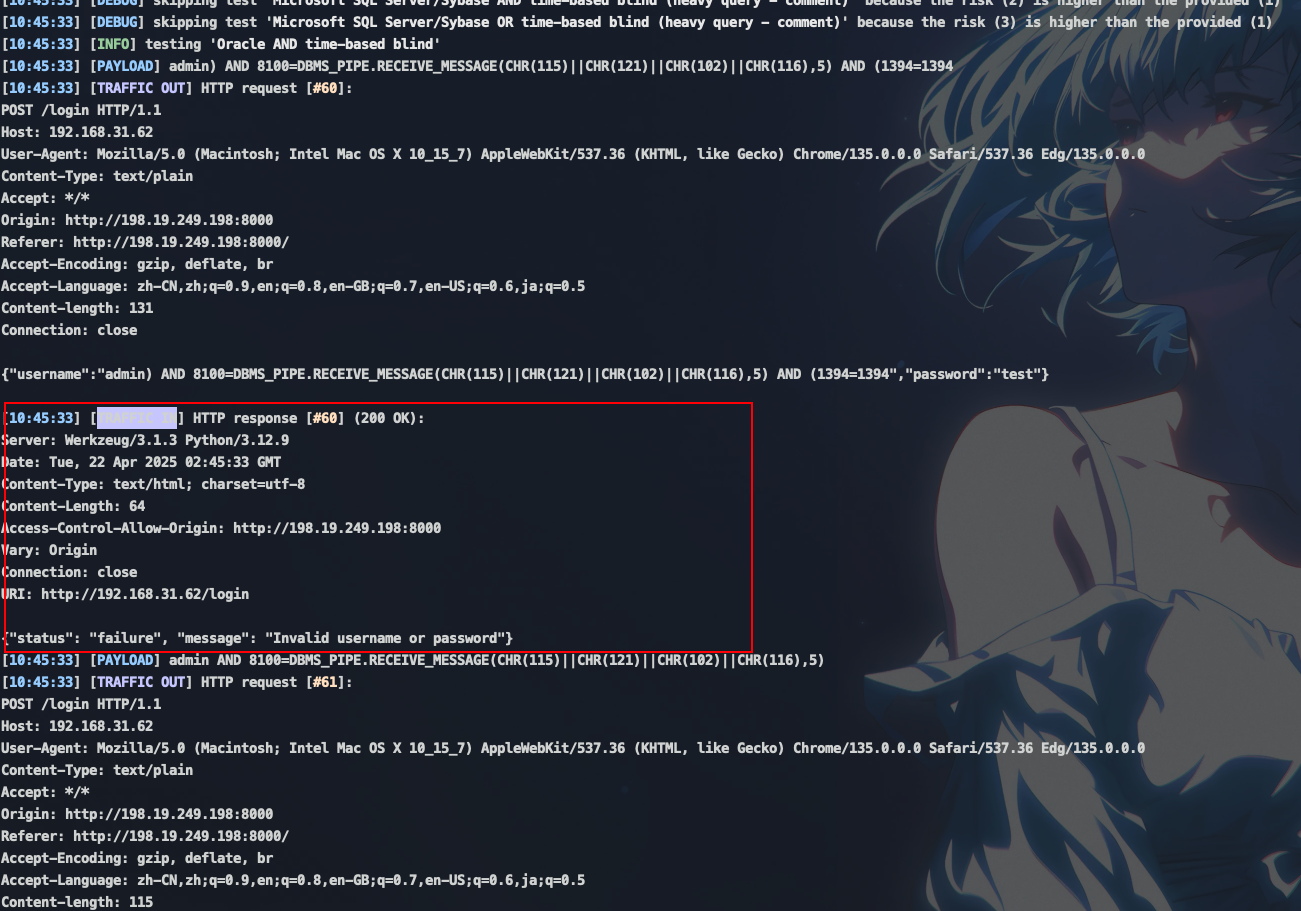
可以看到此时response已经解密,所以sqlmap可以正常探测
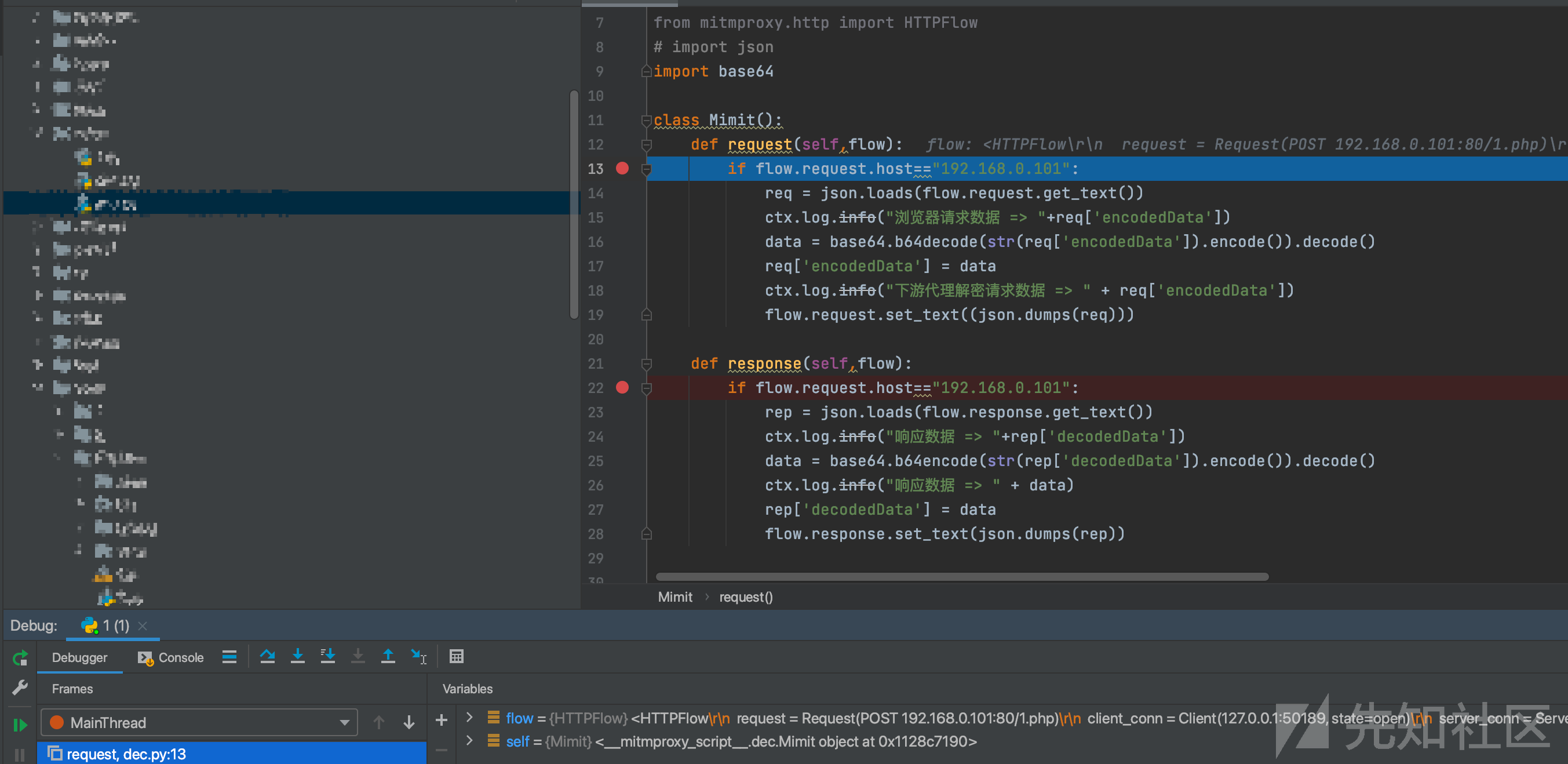
mitmproxy如何debug
平时在测试的时候,编写脚本可能需要debug,在上游代理可以使用以下脚本进行debug
import sys
import os
from mitmproxy.tools.main import mitmdump

sys.path.append(os.path.dirname(os.path.abspath(__file__)))
print(os.path.dirname(os.path.abspath(__file__)))

# 使用 mitmdump 启动并指定端口
mitmdump(['-s', 'enc.py', '-p', str(9091)])
此时在enc.py中下断点就行。

下游代理同理
import sys
import os
from mitmproxy.tools.main import mitmdump

sys.path.append(os.path.dirname(os.path.abspath(__file__)))
print(os.path.dirname(os.path.abspath(__file__)))


# 启动 mitmdump
mitmdump(['-s', 'dec.py','-p', str(7071), '--mode', "upstream:http://127.0.0.1:8080"])
在dec.py下断点即可
Note
总结以上流程:
- 找到加密算法和密钥
- 配置下游代理和上游代理
- 下游代理负责客户端请求的解密和服务端响应的重加密
- 上游代理负责服务端响应的解密和客户端请求的重加密
所以我们可以得出结论:对于客户端加密,只需配置下游代理解密即可,服务端加密,配置上游代理解密即可,双向加密则需要下游/上游代理都配置解密
yakit和burp配置类似,不再赘述